

What Your Website Analytics Are Telling You That You Are Ignoring
Your website isn’t just a static digital brochure; it’s a living, breathing entity that interacts with countless visitors every day. And like any entity, it communicates. It whispers secrets, points out opportunities, and sometimes, it even shouts about problems. The language it uses? Website analytics.
For many businesses, website analytics is a tool that collects data – page views, visitor numbers, maybe a quick glance at bounce rate. But too often, this rich tapestry of information is merely collected, not understood. It’s like having a treasure map but never bothering to dig. You’re sitting on a goldmine of insights into user behavior, content performance, and conversion pathways, but the most crucial messages are often overlooked, misinterpreted, or simply ignored.
This article isn’t about the basics of setting up Google Analytics or how to find a specific report. It’s about shifting your perspective, moving from a data collector to a data listener. It’s about deciphering the profound stories your website analytics are telling you right now, and how heeding those tales can transform your online presence and bottom line.
The Whispers from Your Website Analytics: Are You Listening?
Think of your website as a bustling marketplace. Website analytics are the invisible observers recording every single movement: who walks in, where they go, what they look at, what they buy, and where they leave. It tells you if they’re getting lost, if they’re frustrated, or if they’re delighted. Ignoring this feedback is akin to running a physical store and never asking customers about their experience, never noticing where they hesitate, or which products they never even see.
The raw numbers from your analytics dashboard are just the starting point. The real value comes from asking why behind the what. Why did they leave so quickly? Why aren’t they clicking that button? Why are they spending so much time on that obscure page? These “whys” unlock the doors to better user experience, more effective marketing, and ultimately, greater success.
Let’s dive into some specific signals that your website analytics are sending, signals you might be overlooking right now.
Beyond the Obvious: Key Analytics Metrics You Might Be Misinterpreting (or Ignoring Altogether)
Many people focus on total traffic, which is a vanity metric if not paired with context. High traffic with low engagement or conversions is like having a crowded store where no one buys anything. The real insights lie deeper.
High Bounce Rate: The Sudden Exit
What it is: A bounce occurs when someone visits only one page on your site and then leaves without interacting further. A high bounce rate means a large percentage of your visitors are doing exactly that.
What it’s telling you: If your bounce rate is consistently high (often above 50-60%, though this varies by industry and page type), it’s a flashing red light.
- Mismatched expectations: Perhaps the ad or link that brought them to your site promised something different from what they found.
- Poor landing page design: The page might be confusing, overwhelming, or simply not engaging enough to encourage further exploration.
- Slow loading times: Visitors are impatient. If your page takes too long to load, they’re gone before they even see it.
- Irrelevant content: The content isn’t what they were looking for, or it fails to immediately capture their interest.
- Mobile unfriendliness: If the page looks terrible or is hard to navigate on a phone, mobile users will flee.
Actionable tips:
- Refine your ad copy and calls to action (CTAs): Ensure they accurately reflect the landing page content.
- Optimize page load speed: Use tools like Google PageSpeed Insights.
- Improve content engagement: Use clear headings, bullet points, engaging visuals, and a strong opening hook.
- Enhance mobile responsiveness: Test your site on various devices.
- Consider your audience: Are you attracting the right people in the first place?
Low Conversion Rate: The Unanswered Call to Action
What it is: Your conversion rate is the percentage of visitors who complete a desired action, whether it’s making a purchase, filling out a form, signing up for a newsletter, or downloading a resource.
What it’s telling you: A low conversion rate, even with decent traffic, indicates friction in your user journey.
- Unclear value proposition: Visitors don’t understand why they should convert or what benefit they’ll gain.
- Complex forms or checkout processes: Too many steps, too much information requested, or technical glitches can deter users.
- Weak or hidden CTAs: Your calls to action aren’t prominent, compelling, or clear enough.
- Lack of trust signals: No testimonials, security badges, or clear privacy policy can make visitors hesitant.
- Pricing or offer issues: Your pricing isn’t competitive, or the offer simply isn’t attractive enough.
Actionable tips:
- Simplify your conversion funnels: Reduce the number of steps required to complete an action.
- A/B test your CTAs: Experiment with different wording, colors, and placement.
- Strengthen your value proposition: Clearly articulate the benefits of converting.
- Add social proof and trust signals: Testimonials, reviews, security badges.
- Review your forms: Are they asking for only essential information? Use clear error messages.
Short Average Session Duration: The Fleeting Glance
What it is: The average amount of time a user spends actively engaged with your website during a single visit.
What it’s telling you: If users are spending very little time on your site, even if they visit multiple pages (thus not bouncing), it suggests they’re not deeply engaging with your content. They might be scanning, getting frustrated, or not finding what they need.
- Lack of depth or quality in content: Your articles are too short, superficial, or poorly written.
- Poor navigation or internal linking: Users can’t easily find related information or dive deeper into a topic.
- Too much text, not enough visuals: Long blocks of text are intimidating and hard to digest.
- Distractions or a cluttered layout: Too many pop-ups or competing elements can drive users away.
Actionable tips:
- Create richer, more comprehensive content: Aim for authority and depth.
- Improve internal linking: Guide users to related articles, products, or services.
- Break up text: Use headings, subheadings, bullet points, and ample white space.
- Incorporate multimedia: Videos, infographics, and interactive elements can boost engagement.
- Ensure readability: Choose appropriate fonts and line spacing.
Ignored Referral Traffic: Your Hidden Introducers
What it is: Referral traffic tells you which other websites sent visitors to your site. This includes everything from blogs, news sites, social media platforms, forums, and directories.
What it’s telling you: Beyond just knowing where traffic comes from, this metric uncovers hidden opportunities and validates existing strategies.
- Untapped partnerships: A steady stream of traffic from a particular blog or website might indicate a potential collaboration or guest posting opportunity.
- Successful content placements: If you’ve been featured on a third-party site, seeing the referral traffic confirms its value and helps you replicate that success.
- Competitor analysis insights: Where are your competitors getting their backlinks from? Your referrals might highlight similar opportunities.
- Forum or community engagement success: If you participate in relevant online communities, this data shows if your contributions are driving traffic.
Actionable tips:
- Nurture relationships: Reach out to sites that are sending you valuable traffic to explore deeper collaborations.
- Analyze top referrers: Are there patterns? What kind of content or calls to action are most effective on those sites?
- Investigate new referrers: If a site you didn’t expect is sending traffic, understand why and if it’s a good fit for your audience.
- Replicate success: If a certain type of content or platform is performing well, allocate more resources there.
Device Category Insights: Are You Alienating Mobile Users?
What it is: This data shows you what types of devices (desktop, mobile, tablet) visitors are using to access your site.
What it’s telling you: Given that mobile traffic often surpasses desktop these days, ignoring this data is a grave mistake.
- Mobile usability issues: If a significant portion of your traffic comes from mobile devices, but your bounce rate for those users is significantly higher, or their session duration is lower, your mobile experience is likely poor.
- Desktop-centric design: You might be optimising heavily for desktop screens while completely neglecting the distinct needs of mobile users (finger navigation, smaller screens, slower connections).
- Different user behaviors: Mobile users might be looking for quick answers or contact information, while desktop users might be researching more in-depth.
Actionable tips:
- Prioritize mobile-first design: Ensure your website is fully responsive and optimised for smaller screens.
- Test rigorously on various devices: Don’t just assume it looks good; use real devices or emulators.
- Simplify navigation for mobile: Use hamburger menus, large tap targets, and concise content.
- Optimize images and scripts for mobile load times: Smaller files mean faster loading.
- Consider mobile-specific CTAs: E.g., click-to-call buttons.
Page Value: Not All Pages Are Created Equal
What it is: In Google Analytics, Page Value is an assigned monetary value to a page based on its contribution to achieving a specific goal or conversion. While it requires goal tracking setup, it’s incredibly insightful.
What it’s telling you: This metric moves beyond mere popularity and tells you which pages are truly contributing to your business objectives.
- Hidden conversion drivers: A seemingly minor blog post or information page might have a high page value because it effectively guides users towards a conversion.
- Underperforming crucial pages: A product page might get a lot of views but has a low page value, indicating it’s not doing its job in facilitating sales.
- Bottlenecks in the conversion funnel: Pages with high exit rates but also high page values might indicate where users are dropping off just before converting.
Actionable tips:
- Enhance high-value pages: Promote them more, ensure they are always up-to-date and optimised.
- Improve internal linking to high-value pages: Make it easy for users to find these critical assets.
- Optimize low-value pages: If a page with significant traffic has low value, examine why it’s not contributing more to your goals. Perhaps the CTA is weak, or the content isn’t relevant to your business objectives.
Exit Pages: The Door Out
What it is: The last page a user views before leaving your site. Don’t confuse this with bounce rate, which is about leaving after only one page. Exit pages are about where users end their multi-page journey.
What it’s telling you: This data reveals the specific points where users decide their journey on your site is over.
- Content fatigue: Users might be getting what they need and leaving, or they’re just done reading.
- Confusion or frustration: A complex form, a broken link, or a page that doesn’t provide a clear next step could be the culprit.
- Successful completion: For “thank you” pages or confirmation pages, a high exit rate is expected and even desirable.
- Missing CTAs or next steps: Are you giving users a clear path forward (e.g., related products, another article, a newsletter signup) from that page?
Actionable tips:
- Identify unexpected exit pages: If a non-completion page (like a product page or blog post) has a high exit rate, investigate.
- Optimize crucial exit pages: For pages where you don’t want users to leave, add relevant internal links, clear CTAs, or lead magnets.
- Review “thank you” pages: Ensure they offer continued engagement opportunities (e.g., social media links, recommended content).
- Address technical issues: Check for broken forms or links on high exit pages.
Transforming Data into Action: Your Analytics Action Plan
Listening to your website analytics isn’t a one-time task; it’s an ongoing conversation. To truly leverage this treasure trove of information, you need a process:
- Set Clear Goals: Before you even look at data, know what you want to achieve. What constitutes a conversion? What content is most important?
- Regular Review: Don’t just check once a month. Schedule weekly or bi-weekly deep dives into your analytics. Look for trends, not just anomalies.
- Ask “Why?”: For every metric, challenge yourself to understand the underlying user behavior.
- Prioritize: You can’t fix everything at once. Focus on the metrics that have the biggest impact on your business goals.
- Hypothesize and Test: Based on your analysis, form a hypothesis about why something is happening and what change might improve it. Then, implement the change and track its impact (A/B testing is your friend!).
- Document and Learn: Keep a record of changes you make and their effects. This builds a valuable knowledge base for future optimisations.
- Don’t Fear Failure: Not every test will yield positive results. That’s data too! It tells you what doesn’t work, narrowing down your options.
Conclusion: Your Website is Talking. Are You Ready to Listen?
Your website analytics are more than just numbers on a screen; they are the voice of your audience, the pulse of your digital presence. They reveal the intricate dance of user behavior, highlighting where your efforts are thriving and where they are falling short. By moving beyond a superficial glance and truly listening to what your website analytics are telling you, you unlock the power to optimise your content, enhance user experience, boost conversions, and build a more effective, successful online business.
Stop ignoring the invaluable conversations happening every second on your site. Start listening, start understanding, and start acting. Your next big opportunity is hidden within that data, waiting for you to unearth it.
Dublin's ROI-Driven Digital Marketing Agency Home
Related Posts
 12 reasons your website can have a high bounce rate
 Utilizing google analytics for insights
 SEO analytics services for data driven insights
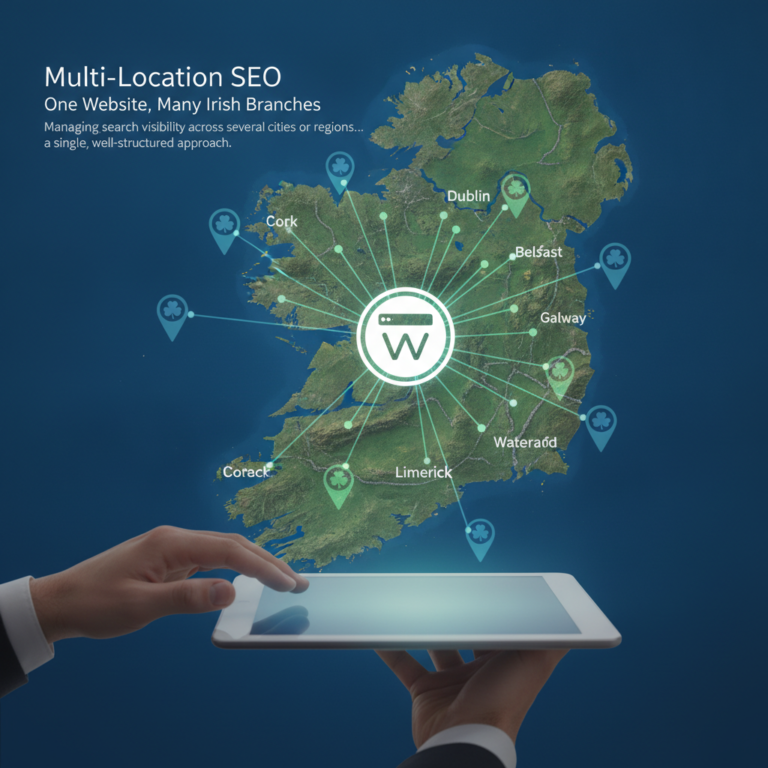 Multi-Location SEO: One Website, Many Irish Branches
 Globe Boss: Website Design and SEO Dublin
 Globe Boss Website Marketing Dublin
 Why Your Dublin Plumber Website Isnʼt Ranking (And How to Fix It)
 The Real Cost of a Slow Website for Dublin Businesses