
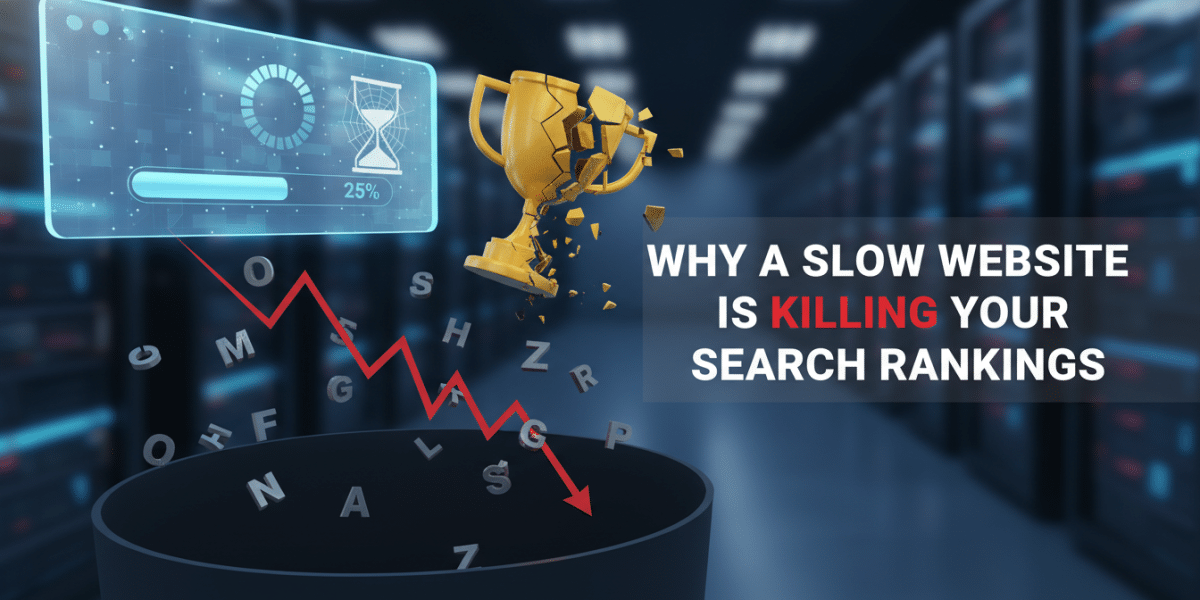
Why a Slow Website Is Killing Your Search Rankings (And What You Can Do About It)
Let’s be honest, we live in an instant gratification world. When we click a link, we expect the page to load almost before our finger leaves the mouse button. If it doesn’t, a tiny seed of frustration begins to sprout. For your website visitors, that tiny seed can quickly grow into a full-blown reason to click away – a decision that, unbeknownst to many business owners, has far more serious implications than just a lost visitor. It’s a silent assassin, actively killing your search rankings.
This isn’t just about minor annoyance. A slow website isn’t merely an inconvenience; it’s a critical impediment to your online success. It undermines user experience, signals poor quality to search engines like Google, and directly impacts your visibility, traffic, and ultimately, your bottom line. If you’ve been wondering why your brilliant content isn’t getting the attention it deserves, or why your competitors are outranking you despite similar offerings, website speed is very likely the invisible culprit.
In this comprehensive guide, we’ll dive deep into the multifaceted ways a sluggish site cripples your performance in search engine results. We’ll explore the tangible impact on user behavior, the explicit and implicit signals search engines pick up on, and the hidden costs to your business. Most importantly, we’ll arm you with practical, actionable strategies to diagnose and fix the issues, transforming your slow-moving digital asset into a swift, ranking-climbing powerhouse.
Beyond Annoyance: The Tangible Impact on User Experience
Before we even get to the technicalities of SEO, let’s talk about people – your potential customers. They are the ultimate arbiters of your website’s success, and their patience is a finite resource.
The Patience Drain: Why Seconds Matter
Imagine this: You click on a search result, eager to find a product, service, or piece of information. The screen goes white, then maybe a loading spinner appears. One second passes. Then two. By the third second, you’re already feeling that familiar twitch of impatience. By four or five seconds, many users have already hit the “back” button, abandoning your site for a faster competitor.
Studies consistently show that even a one-second delay in page load time can lead to a significant drop in page views, a decrease in customer satisfaction, and a measurable loss in conversions. Think about Amazon – they famously found that a 100-millisecond delay cost them 1% in sales. While your business might not operate at Amazon’s scale, the principle holds true: every fraction of a second counts. This immediate bounce, known as a high bounce rate, is a critical signal to search engines that your site isn’t providing a good experience, contributing directly to killing your search rankings.
First Impressions Are Lasting Impressions
Your website is often the first interaction a potential customer has with your brand. A slow loading site immediately conveys an impression of unprofessionalism, outdated technology, or a lack of care. It’s like walking into a brick-and-mortar store with creaky doors, flickering lights, and a long queue that never moves. You’re unlikely to stick around, right?
A fast, responsive website, on the other hand, signals efficiency, reliability, and a commitment to providing a smooth user experience. This positive first impression fosters trust and encourages visitors to explore further, increasing their time on site and improving the chances of conversion. In essence, your website’s speed isn’t just about loading content; it’s about building a reputation, one lightning-fast page load at a time.
How Google (and Other Search Engines) View Speed
It’s one thing for users to dislike slow websites, but what about the giants that dictate online visibility? For years, search engines like Google have been clear: user experience is paramount. And speed is a cornerstone of good user experience.
Speed as a Ranking Factor: It’s Official
Google explicitly confirmed page speed as a ranking factor over a decade ago. However, its importance has only intensified, especially with the “Page Experience” update and the introduction of Core Web Vitals (CWV). These metrics – Largest Contentful Paint (LCP), First Input Delay (FID), and Cumulative Layout Shift (CLS) – are Google’s way of quantifying the real-world user experience of a page: how quickly it loads, how interactive it is, and how stable its layout remains during loading.
If your site scores poorly on these Core Web Vitals, Google views it as providing a suboptimal experience. This directly contributes to killing your search rankings because Google prioritizes sites that offer users the best possible experience, and that includes speed. They don’t want to send their users to frustratingly slow sites; it reflects poorly on their search engine.
The Crawl Budget Conundrum
Search engines don’t have unlimited resources. They send “crawlers” or “spiders” to discover and index new and updated content on the web. Each website is allocated a “crawl budget,” which is the number of pages a search engine will crawl on your site within a given timeframe.
If your website is slow, these crawlers spend more time waiting for pages to load. This effectively eats into your crawl budget, meaning the crawlers might not get to all your important pages, or they might visit your site less frequently. The result? Your new content might not be indexed as quickly, or older content updates might go unnoticed, leaving your search visibility stagnant or even diminished. It’s another subtle but potent way a slow website can be killing your search rankings.
Indirect Ranking Signals Amplified by Speed
Beyond direct speed metrics, a slow website negatively impacts several other critical ranking signals:
- Bounce Rate: As discussed, users abandon slow sites quickly. A high bounce rate tells Google that users aren’t finding value or a good experience on your page, even if the content is excellent.
- Time on Page/Dwell Time: If users leave quickly, their “time on page” will be low. Conversely, a fast-loading site encourages users to stay longer, explore more pages, and engage with your content. Longer dwell times signal to Google that your content is relevant and valuable.
- Conversion Rates: Ultimately, SEO aims to drive business results. A slow website frustrates users, leading to lower conversion rates for purchases, sign-ups, or inquiries. Google can pick up on these signals indirectly (e.g., through user behavior analysis), factoring them into your overall site quality score.
The Hidden Costs: Why a Slow Website is an Economic Drain
The impact of a slow website extends beyond just search rankings; it permeates every aspect of your online business, draining resources and opportunities.
Lost Traffic, Lost Opportunities
Lower search rankings mean less visibility. Less visibility means fewer clicks from organic search results. Fewer clicks translate directly into less traffic to your website. For many businesses, organic search is a primary source of qualified leads and sales. When a slow site prevents you from ranking well, you’re not just missing out on abstract visibility; you’re actively losing potential customers to faster-loading competitors who appear higher in search results. This directly impacts your revenue potential.
Damaged Brand Reputation
In today’s interconnected world, negative experiences spread rapidly. A user who has a frustratingly slow experience on your site might not just leave; they might share that negative experience on social media, in reviews, or through word-of-mouth. Such reputational damage can be difficult to undo and can deter future potential customers, irrespective of your search engine standing.
Inefficient Advertising Spend
Many businesses invest heavily in paid advertising – Google Ads, social media ads, etc. You pay for every click. If those clicks land on a slow-loading page that causes users to immediately bounce, you’re essentially throwing money away. A slow website drastically reduces the return on investment (ROI) for all your marketing efforts, as the landing page experience is a critical factor in ad quality scores and conversion rates.
Diagnosing the Drag: Common Culprits Behind Slow Websites
Understanding the problem is the first step towards a solution. Many factors can contribute to a slow website. Identifying the specific culprits on your site is crucial for effective optimisation.
Image Overload
This is perhaps the most common and easily fixable issue. High-resolution images that aren’t optimised for the web are massive file sizes. Loading dozens of uncompressed images on a single page can bring your site to a crawl. Think about the physical dimensions, resolution, and file format.
Bloated Code and Scripts
Every line of code, every plugin, every external script (like analytics trackers, social media widgets, or ad scripts) adds to the load time. Unnecessary plugins, poorly coded themes, unminified CSS and JavaScript files, and excessive third-party integrations can weigh down your site significantly.
Hosting Woes
Your web host is the foundation of your website’s speed. Cheap, shared hosting plans often mean your site is on a server with hundreds, if not thousands, of other websites, all vying for the same limited resources. If one site experiences a traffic surge, it can slow down all the others, including yours. Server location also plays a role – if your audience is in Europe but your server is in the US, data has to travel further, causing delays.
Lack of Caching
Caching is like creating a temporary, pre-loaded version of your website. Instead of generating every page from scratch for every visitor, caching stores frequently accessed data, serving it much faster. Without proper caching, your server has to do more work, increasing load times.
Unoptimised Databases
For dynamic websites like WordPress blogs, e-commerce stores, or membership sites, the database plays a crucial role. An unoptimised, bloated database filled with old revisions, spam comments, or transient data can slow down the retrieval of content, impacting page load speed.
Practical Steps to Revive Your Website Speed and Boost Rankings
Now for the good news: many common speed issues are fixable. Here’s a roadmap to getting your site up to speed and preventing it from killing your search rankings.
Conduct a Speed Audit
Your first step should always be to understand where you stand. Use tools like Google PageSpeed Insights, GTmetrix, and Pingdom Tools. These free tools will analyse your site, provide a performance score, and, most importantly, give you actionable recommendations on what needs to be fixed. Pay close attention to Core Web Vitals scores.
Optimize Your Images
This is low-hanging fruit.
- Compress Images: Use image optimisation plugins (for WordPress) or online tools to reduce file size without significant loss of quality.
- Resize Images: Don’t upload a 4000px wide image if it will only be displayed at 800px.
- Use Modern Formats: Convert images to WebP format, which offers superior compression and quality compared to older formats like JPEG or PNG.
- Implement Lazy Loading: This ensures images only load when they come into the user’s viewport, not all at once when the page first loads.
Minify and Combine Code
Minification removes unnecessary characters (like white space and comments) from your HTML, CSS, and JavaScript files, reducing their size. Combining multiple CSS or JS files into fewer files reduces the number of HTTP requests your browser needs to make, speeding up loading. Many plugins and build tools can automate this.
Implement Caching Effectively
Caching is your best friend for speed.
- Browser Caching: Stores parts of your website on a user’s browser, so returning visitors load pages faster.
- Server-Side Caching: Stores dynamically generated content, serving it quickly without re-processing.
- Content Delivery Network (CDN): Distributes your site’s content to servers worldwide. When a user visits your site, content is delivered from the closest server, drastically reducing latency.
Upgrade Your Hosting
If you’re on a very basic shared hosting plan, it might be time to upgrade. Consider Virtual Private Server (VPS) hosting, dedicated hosting, or managed WordPress hosting. These options offer more resources and better performance. Choose a host with servers located geographically close to your primary audience.
Leverage a Content Delivery Network (CDN)
A CDN stores cached versions of your website’s static content (images, CSS, JS) on servers located around the globe. When a user visits your site, the content is delivered from the server geographically closest to them, significantly reducing latency and improving loading times, especially for international audiences.
Keep Your Platform and Plugins Updated (and Lean)
Regularly update your CMS (e.g., WordPress), themes, and plugins. Developers often include performance improvements and security patches. Crucially, audit your plugins: if you’re not using it, deactivate and delete it. Every active plugin adds overhead.
The Long-Term Game: Speed is an Ongoing Commitment
Website speed isn’t a “set it and forget it” task. The web is constantly evolving, with new technologies, larger image files, and new functionalities. Regular monitoring of your site’s performance using the tools mentioned above is essential. As you add new content, features, or plugins, re-evaluate their impact on speed. Make speed optimisation an ongoing part of your website maintenance routine. Staying proactive ensures your website remains fast, user-friendly, and capable of holding its own in the competitive landscape of search rankings.
Conclusion
The message is clear: a slow website is more than just an inconvenience; it’s a detrimental force actively killing your search rankings and undermining your entire online presence. From eroding user patience and damaging your brand reputation to explicitly lowering your standing with search engines and draining your marketing budget, the costs of a sluggish site are too high to ignore.
However, the good news is that you’re not powerless. By understanding the causes of slow loading times and implementing the practical optimisation strategies outlined above, you can transform your website from a drag on your business into a powerful engine for growth. Prioritizing website speed isn’t just a technical task; it’s a strategic business decision that directly impacts your visibility, credibility, and profitability in the digital age. Don’t let your website lag behind; empower it to soar to the top of the search results.
Dublin's ROI-Driven Digital Marketing Agency Home
Related Posts
 Mobile Page Speed in Ireland: How Slow Sites Lose Customers
 How to Optimise Your Website for AI Search Results in 2026
 How to Rank Your Deli on the First Page of Google
 Top SEO Services to Boost Your Website Rankings in 2024
 10 wordpress image optimisation plugins for faster page speed
 How to add page speed factors to your reports in website auditor
 Page Speed Optimisation for Irish E-commerce Stores
 Why Your Dublin Plumber Website Isnʼt Ranking (And How to Fix It)