
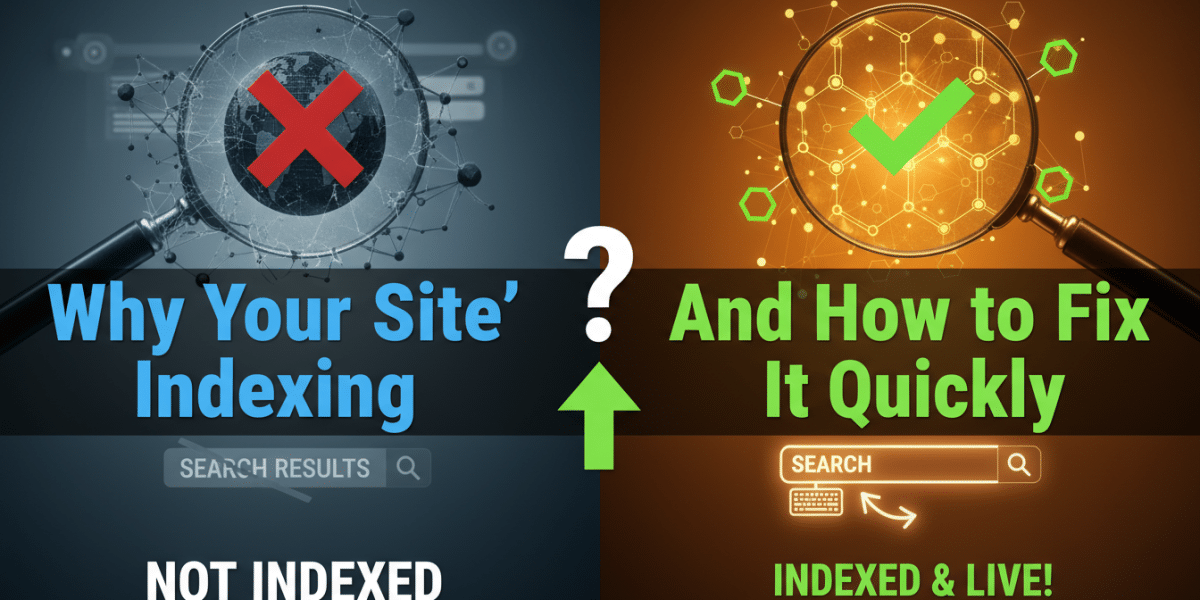
Why Your Site Isn’t Indexing and How to Fix It Quickly
So, you’ve built a website. You poured your heart, soul, and maybe a few late nights into crafting compelling content, designing an engaging user experience, and optimising it for search engines. You hit publish, filled out the Google Search Console request indexing form, and waited. And waited. And waited some more. Now, weeks or even months later, a search for your site’s name turns up nothing but tumbleweeds. Your site isn’t indexing, and panic is starting to set in.
Don’t despair! While not being indexed is a serious problem, it’s often a solvable one. This article will delve into the most common reasons why your website might be stubbornly refusing to show up in Google’s search results and provide you with actionable steps to diagnose and fix the issue quickly. We’ll cover technical aspects, content quality, and external factors, equipping you with the knowledge to get your site on the map (or, you know, on Google).
1. Robots.txt File: The Gatekeeper You Might Have Accidentally Locked
The robots.txt file is a simple text file that lives in the root directory of your website (e.g., www.example.com/robots.txt). Its purpose is to instruct search engine crawlers, like Googlebot, which parts of your site they are allowed to access and index. A misplaced directive in this file is a frequent culprit behind indexing woes.
The Problem:
Disallow: /: This is the most common, and most devastating, error. This single line tells all search engine crawlers to stay away from your entire website. It’s essentially putting a giant "Do Not Enter" sign on your front door.- Disallowing Important Directories: Accidentally disallowing critical directories like
/wp-admin/(for WordPress sites),/content/, or directories containing your main site content can prevent Google from accessing and indexing the essential parts of your website. - Using Complex Directives Incorrectly: The
robots.txtfile allows for more complex directives, like specifying different rules for different user agents (e.g., Googlebot, Bingbot, etc.). Misconfiguring these directives can inadvertently block Google from indexing your site.
The Solution:
- Locate your
robots.txtfile: Typeyourdomain.com/robots.txtinto your browser’s address bar (replaceyourdomain.comwith your actual domain name). - Examine the contents carefully: Look for the
Disallow:directive.- If you see
Disallow: /, remove it immediately. This is likely your primary issue. - If you see other
Disallow:directives, ensure they are only blocking parts of your site that you intentionally want to keep out of search results (e.g., admin pages, staging environments).
- If you see
- Use the Robots.txt Tester in Google Search Console: This tool allows you to test whether specific URLs on your site are being blocked by your
robots.txtfile. Access it within Search Console under "Coverage" and then "Blocked by robots.txt." Enter the URL you’re concerned about and see if it’s being blocked. - Submit Your Updated
robots.txtto Google: While Google should eventually recrawl yourrobots.txtfile, you can speed things up by submitting it directly through Google Search Console. This tells Google to prioritize recrawling the file.
2. Noindex Meta Tag: Accidental Instructions to Stay Invisible
The noindex meta tag is an HTML tag that tells search engines not to index a specific page. It’s a powerful tool for preventing sensitive or low-quality pages from appearing in search results, but it can also be a major roadblock if accidentally applied to important pages.
The Problem:
- Site-Wide
noindex: Some CMS platforms or plugins allow you to set a site-widenoindextag, often used during website development. Forgetting to remove this setting before launch is a common mistake. noindexon Critical Pages: Individual pages that are essential to your site’s visibility (e.g., your homepage, product pages, category pages, blog posts) may have been accidentally tagged withnoindex. This could be due to a plugin malfunction, a manual error, or a theme setting.X-Robots-TagHTTP Header: Thenoindexdirective can also be implemented via theX-Robots-TagHTTP header. This is often used for non-HTML files, like PDFs, but can also be applied to HTML pages through server configurations.
The Solution:
- Check Your CMS Settings: If you use a CMS like WordPress, Joomla, or Drupal, check your settings for any global "discourage search engines from indexing this site" options. These settings usually add the
noindextag to every page. Disable this setting if it’s enabled and not intended. -
Inspect Page Source Code: For individual pages that you suspect might be
noindexed, view the page’s source code (usually by right-clicking on the page and selecting "View Page Source" or similar). Look for the following tag within the<head>section:If you find this tag on a page that should be indexed, remove it. Also, check for
noindex, follow. This tag tells the bot not to index the page but follow the links on the page. You will want to remove this tag as well. - Check HTTP Headers: Use a tool like
curlor a website header checker to inspect the HTTP headers of the affected pages. Look for theX-Robots-Tagheader. If it’s present and includesnoindex, you’ll need to modify your server configuration (e.g.,.htaccessfile for Apache servers) to remove or modify the header. Consult your hosting provider or a web developer if you’re unsure how to do this. - Resubmit Your Sitemap to Google: After removing the
noindextag, resubmit your sitemap to Google Search Console. This prompts Google to recrawl your site and discover the changes. - Request Indexing in Google Search Console: For important pages, you can also use the URL Inspection tool in Google Search Console to request indexing after removing the
noindextag. This can help speed up the indexing process.
3. Poor Site Architecture and Internal Linking: A Confusing Maze for Crawlers
Search engines rely on links to discover and index content. A poorly structured website with weak internal linking can make it difficult for crawlers to navigate your site and find all of your important pages.
The Problem:
- Orphaned Pages: Pages that have no internal links pointing to them are essentially "orphaned" and are unlikely to be discovered by search engines.
- Deeply Buried Pages: Pages that are several clicks away from the homepage are less likely to be crawled and indexed. Search engines prioritize pages that are easily accessible.
- Lack of Internal Linking: Insufficient internal links between relevant pages makes it harder for search engines to understand the context and relationships between different parts of your site.
- Broken Links: Broken internal links create dead ends for crawlers, hindering their ability to fully explore your website.
The Solution:
- Audit Your Site Architecture: Plan your website’s structure logically, ensuring that important pages are easily accessible from the homepage and other key sections of your site. Aim for a flat architecture where most pages are no more than three clicks away from the homepage.
- Implement a Clear Navigation Menu: Your navigation menu should be intuitive and provide clear pathways to all essential sections of your website.
- Conduct an Internal Link Audit: Use a tool like Screaming Frog or Ahrefs to crawl your website and identify orphaned pages, broken links, and opportunities for internal linking.
- Add Internal Links Strategically: Link relevant pages together within your content. Use descriptive anchor text (the clickable text of the link) that accurately reflects the destination page’s topic. Avoid generic anchor text like "click here."
- Create a Sitemap: Submit an XML sitemap to Google Search Console. This provides Google with a roadmap of your website, making it easier for them to discover and index your content.
4. Content Quality and Uniqueness: Giving Google a Reason to Care
In the age of algorithm updates like Panda and Penguin, Google places a high premium on high-quality, unique, and valuable content. Sites with thin, duplicate, or poorly written content are less likely to be indexed and ranked highly.
The Problem:
- Thin Content: Pages with very little text, images, or other meaningful content are considered "thin." Google often devalues or ignores these pages.
- Duplicate Content: If the same content appears on multiple pages within your website or across different websites, Google may have difficulty determining which version is the original and may choose not to index all of them.
- Plagiarized Content: Using content copied directly from other websites is a surefire way to get penalized by Google. Plagiarism is a serious offense and can result in your site being deindexed.
- Keyword Stuffing: Overusing keywords in your content in an unnatural way can also be seen as a form of manipulation and can negatively impact your indexing and ranking.
- Low-Quality Content: Content that is poorly written, contains grammatical errors, or provides little value to users is less likely to be indexed and ranked highly.
The Solution:
- Conduct a Content Audit: Review all of your website’s content and identify pages that are thin, duplicate, or outdated.
- Improve Thin Content: Expand on thin content by adding more information, images, videos, and other engaging elements. Aim to provide comprehensive and valuable content on each page.
- Address Duplicate Content:
- Internal Duplicate Content: Use 301 redirects or canonical tags to consolidate duplicate content within your website. A canonical tag tells search engines which version of a page is the "master" version.
- External Duplicate Content: If you find your content being used on other websites without your permission, contact the website owners and request that they remove the content or link back to your original source. You can also file a DMCA takedown notice with Google.
- Create Original Content: Focus on creating unique and informative content that provides value to your target audience. Research your keywords thoroughly and write content that is both relevant and engaging.
- Avoid Keyword Stuffing: Write naturally and focus on providing valuable information to your readers. Use keywords where they fit naturally within your content, but avoid overusing them.
- Proofread and Edit Your Content: Ensure that your content is well-written, free of grammatical errors, and easy to understand.
5. Crawl Errors and Site Health Issues: Technical Glitches Hindering Indexing
Technical issues can prevent Google from crawling and indexing your website effectively. Monitoring your site’s health and addressing crawl errors is crucial for ensuring proper indexing.
The Problem:
- 404 Errors (Page Not Found): Broken links and missing pages create a poor user experience and can hinder Google’s ability to crawl your site.
- Soft 404 Errors: These occur when a page returns a 200 OK status code (indicating that the page exists) but contains very little content or displays an error message. Google may interpret these pages as "not found" and choose not to index them.
- Server Errors (5xx Errors): These errors indicate problems with your server, such as overloaded resources or internal server errors. Frequent server errors can prevent Google from accessing your site.
- Slow Loading Speed: A slow-loading website can frustrate users and can also negatively impact your indexing. Google prioritizes websites that provide a fast and responsive user experience.
- Mobile-Unfriendly Design: With the rise of mobile browsing, Google prioritizes websites that are mobile-friendly. If your site is not responsive or mobile-optimised, it may be less likely to be indexed and ranked highly.
The Solution:
- Monitor Google Search Console: Google Search Console provides valuable information about your website’s crawl health, including crawl errors, server errors, and mobile usability issues. Check Search Console regularly and address any issues promptly.
- Fix 404 Errors: Identify and fix broken links on your website. Use 301 redirects to redirect users and search engines from broken URLs to relevant, existing pages.
- Address Soft 404 Errors: Ensure that all of your pages return the correct HTTP status code. If a page no longer exists, return a 404 error. If the page has moved, use a 301 redirect to the new location.
- Improve Server Performance: Optimize your server configuration to ensure that it can handle the traffic to your website. Consider using a content delivery network (CDN) to distribute your website’s content across multiple servers, improving loading speed for users around the world.
- Optimize Website Loading Speed: Optimize your website’s images, minify your CSS and JavaScript files, and leverage browser caching to improve loading speed. Use tools like Google PageSpeed Insights to identify areas for improvement.
- Ensure Mobile-Friendliness: Use a responsive design that adapts to different screen sizes. Test your website on different mobile devices to ensure that it is easy to use and navigate on mobile.
6. New Website and Lack of Authority: Patience is a Virtue (Sometimes)
If you’ve just launched a new website, it may simply take time for Google to discover and index your content. New websites typically have low domain authority, which means they are less likely to be crawled and indexed as quickly as established websites.
The Problem:
- Low Domain Authority: New websites haven’t yet earned trust and authority in Google’s eyes.
- Limited Backlinks: New websites often have few or no backlinks from other websites, which makes it harder for Google to discover them.
- Lack of Content History: Google favors sites with a proven track record of producing high-quality content.
The Solution:
- Build High-Quality Content: Focus on creating comprehensive, informative, and engaging content that provides value to your target audience.
- Promote Your Website: Share your website’s content on social media, email newsletters, and other online platforms.
- Build Backlinks: Earn backlinks from other reputable websites in your industry. This can be done through guest blogging, creating valuable resources that other websites will link to, and participating in online communities.
- Submit Your Sitemap to Google: Submitting your sitemap to Google Search Console helps Google discover your website and understand its structure.
- Be Patient: It can take time for Google to discover and index a new website. Be patient and continue to create high-quality content and promote your website.
By systematically addressing these potential issues, you can significantly increase the chances of getting your website indexed by Google and attracting more organic traffic. Remember to regularly monitor your site’s health in Google Search Console and stay up-to-date with the latest SEO best practices. Good luck!
Dublin's ROI-Driven Digital Marketing Agency Home
Related Posts
 Simple Ways to Make Google Index Your Site Faster
 Why Your Dublin Plumber Website Isnʼt Ranking (And How to Fix It)
 What Is Mobile First Indexing and Why It Affects Your Site
 What Google Search Console Data Is Telling You About Your Site
 How to Fix Trust Issues Boosting Your Websiteʼs Technical Reliability
 Technical SEO Audit Dublin: Ensuring website health for search engines
 How to optimise a website for Dublin searches
 Broken backlinks how to find and fix them on your site