
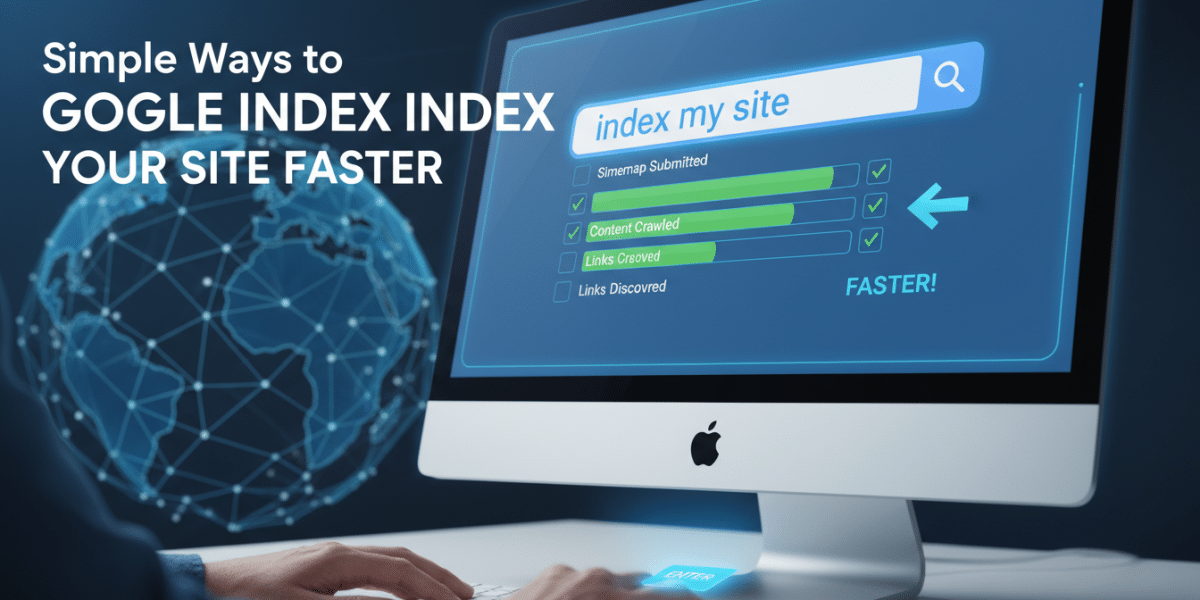
Simple Ways to Make Google Index Your Site Faster
Getting your website indexed by Google is the first crucial step in attracting organic traffic. Without being indexed, your site is essentially invisible to the search engine, no matter how fantastic your content or stunning your design might be. Fortunately, you don’t need to be a technical SEO guru to speed up the indexing process. There are several simple yet effective strategies you can implement right away to nudge Google in the right direction and get your website crawling and indexed faster.
1. Submit Your Sitemap to Google Search Console:
This is the single most impactful action you can take to expedite indexing. A sitemap is essentially a roadmap for Google’s crawlers, outlining the structure of your website and listing all the important URLs you want indexed. Think of it as giving Google a pre-arranged tour of your site, highlighting all the points of interest.
-
Creating a Sitemap:
- Most Content Management Systems (CMS) like WordPress offer plugins that automatically generate sitemaps. Popular plugins include Yoast SEO, Rank Math, and All in One SEO Pack. These plugins typically create XML sitemaps, which are the preferred format for Google.
- If you’re not using a CMS or prefer a more manual approach, you can use online sitemap generators. Several free tools are available that will crawl your website and create a sitemap for you.
- Ensure your sitemap includes all the important pages on your site, such as your homepage, product pages, blog posts, and any landing pages.
- Keep your sitemap updated. Whenever you add new content or make significant changes to your website’s structure, regenerate and resubmit your sitemap.
- Submitting to Google Search Console:
- First, you need to verify your website with Google Search Console (GSC). This is a straightforward process that involves adding a verification code to your website.
- Once verified, navigate to the "Sitemaps" section in the GSC dashboard.
- Enter the URL of your sitemap (typically
yourdomain.com/sitemap.xml) and click "Submit." - Google will then crawl your sitemap and begin indexing the pages listed within it.
- Regularly check the Sitemaps report in GSC to monitor the status of your sitemap submission and identify any errors.
2. Request Indexing of Specific URLs:
While submitting a sitemap is crucial, you can also request indexing for specific URLs that you deem particularly important or newly published. This is especially useful for new blog posts, product pages, or any content that you want indexed quickly.
-
Using the URL Inspection Tool:
- In Google Search Console, use the "URL Inspection" tool.
- Enter the URL you want to index.
- Google will analyse the URL and tell you whether it’s already indexed.
- If the URL isn’t indexed, click the "Request Indexing" button.
- Google will then add the URL to its crawling queue.
- This method doesn’t guarantee immediate indexing, but it signals to Google that you want the page indexed as soon as possible.
- Use Sparingly and Judiciously:
- Avoid overusing the "Request Indexing" tool. Google may penalize you if you submit too many requests in a short period.
- Focus on submitting requests for high-quality, valuable content that is likely to be of interest to users.
3. Build High-Quality Internal Links:
Internal links are links that connect different pages within your own website. They are crucial for improving your website’s SEO in several ways, including:
- Helping Google Discover New Content: Internal links act as pathways for Google’s crawlers, allowing them to easily navigate your website and discover new pages.
- Distributing PageRank: Internal links help distribute PageRank (a measure of a page’s authority and importance) throughout your website.
-
Improving User Experience: Internal links make it easier for users to find relevant content on your website, which can improve engagement and reduce bounce rates.
- Strategic Internal Linking:
- Link from high-authority pages to newer, less established pages.
- Use relevant anchor text that describes the content of the linked page.
- Ensure your internal links are natural and flow seamlessly within the context of the content.
- Avoid over-linking or using too many internal links on a single page.
4. Obtain High-Quality Backlinks from Other Websites:
Backlinks are links from other websites to your website. They are a critical ranking factor in Google’s algorithm because they act as votes of confidence, signaling to Google that your website is authoritative and trustworthy.
-
Focus on Quality over Quantity:
- A single high-quality backlink from a reputable website is worth far more than hundreds of low-quality backlinks from spammy or irrelevant websites.
- Focus on earning backlinks from websites that are relevant to your industry and have high domain authority.
- Earning Backlinks:
- Create High-Quality Content: The best way to earn backlinks is to create valuable, informative, and engaging content that other websites will want to link to.
- Guest Blogging: Write guest posts for other websites in your industry and include a link back to your website in your author bio.
- Broken Link Building: Find broken links on other websites in your industry and offer to replace them with a link to your relevant content.
- Resource Page Link Building: Identify resource pages on other websites in your industry and suggest your website as a valuable resource.
- Outreach: Reach out to other website owners and bloggers in your industry and let them know about your content. If they find it valuable, they may be willing to link to it.
5. Optimize Your Website for Mobile Devices:
Mobile-friendliness is a crucial ranking factor in Google’s algorithm. With the majority of internet users now accessing the web on mobile devices, Google prioritizes websites that provide a seamless and user-friendly experience on smartphones and tablets.
-
Responsive Design:
- Use a responsive design that automatically adapts to different screen sizes. This ensures that your website looks and functions perfectly on all devices.
-
Mobile-Friendly Testing:
- Use Google’s Mobile-Friendly Test tool to check your website’s mobile-friendliness. This tool will identify any issues that may be affecting your website’s performance on mobile devices.
- Key Mobile Optimizations:
- Fast Loading Times: Optimize your website for fast loading times on mobile devices. This includes compressing images, minimizing code, and using a content delivery network (CDN).
- Touch-Friendly Navigation: Ensure your website has a touch-friendly navigation that is easy to use on mobile devices.
- Readable Font Sizes: Use readable font sizes that are easy to read on small screens.
- Avoid Intrusive Pop-ups: Avoid using intrusive pop-ups that can disrupt the user experience on mobile devices.
6. Improve Website Loading Speed:
Website loading speed is a critical ranking factor in Google’s algorithm and a key element of user experience. Slow-loading websites can frustrate users, increase bounce rates, and negatively impact your search engine rankings.
-
PageSpeed Insights:
- Use Google’s PageSpeed Insights tool to analyse your website’s loading speed and identify areas for improvement. This tool provides detailed recommendations for optimising your website’s performance.
- Key Speed Optimizations:
- Optimize Images: Compress images to reduce their file size without sacrificing quality.
- Minify Code: Minify HTML, CSS, and JavaScript code to reduce the amount of data that needs to be transferred.
- Enable Browser Caching: Enable browser caching to allow browsers to store static assets locally, reducing the need to download them on subsequent visits.
- Use a Content Delivery Network (CDN): Use a CDN to distribute your website’s content across multiple servers around the world, reducing the distance between your website and users.
- Choose a Good Hosting Provider: Choose a reliable hosting provider that offers fast server speeds and good uptime.
7. Create High-Quality, Original Content:
Content is king, and in the context of SEO, that means creating high-quality, original content that is valuable to your target audience. Google prioritizes websites that provide users with informative, engaging, and relevant content.
-
Content Quality:
- Originality: Ensure your content is original and not plagiarized from other websites.
- Relevance: Create content that is relevant to your target audience and addresses their needs and interests.
- Accuracy: Ensure your content is accurate and up-to-date.
- Usefulness: Provide users with valuable information that they can use to solve problems, learn new things, or make informed decisions.
- Engagement: Write engaging content that keeps users interested and encourages them to spend more time on your website.
- Content Optimization:
- Keyword Research: Conduct keyword research to identify the terms that your target audience is searching for.
- Keyword Integration: Integrate relevant keywords into your content in a natural and organic way.
- Headings and Subheadings: Use headings and subheadings to break up your content and make it easier to read.
- Images and Videos: Include images and videos to enhance your content and make it more engaging.
- Meta Descriptions: Write compelling meta descriptions that encourage users to click on your website in the search results.
8. Use Structured Data Markup:
Structured data markup (also known as schema markup) is a code that you can add to your website to provide Google with more information about your content. This helps Google understand the context of your content and display it in a more informative way in the search results.
-
Benefits of Structured Data:
- Enhanced Search Results: Structured data can help your website appear in rich snippets, which are enhanced search results that include additional information such as reviews, ratings, prices, and event dates.
- Improved Click-Through Rates: Rich snippets can make your website stand out in the search results and improve click-through rates.
- Better Understanding by Google: Structured data helps Google understand the context of your content, which can improve your website’s search engine rankings.
- Implementing Structured Data:
- Schema.org: Use the Schema.org vocabulary to define the types of structured data you want to add to your website.
- Google’s Structured Data Testing Tool: Use Google’s Structured Data Testing Tool to validate your structured data markup and ensure that it is implemented correctly.
- Common Schema Types: Common schema types include Article, Product, Event, Recipe, and Review.
9. Regularly Update Your Website Content:
Google favors websites that are regularly updated with fresh, relevant content. This signals to Google that your website is active and that you are committed to providing users with the latest information.
-
Content Updates:
- Blog Posts: Publish new blog posts on a regular basis.
- Product Updates: Keep your product information up-to-date.
- News Articles: Share relevant news articles related to your industry.
- Website Redesign: Refresh your website’s design periodically to keep it looking modern and up-to-date.
- Frequency of Updates:
- The frequency of updates will depend on your industry and your target audience.
- However, a general rule of thumb is to update your website at least once a month.
10. Monitor Your Crawl Stats in Google Search Console:
Google Search Console provides valuable insights into how Google is crawling and indexing your website. By monitoring your crawl stats, you can identify any issues that may be preventing Google from indexing your website effectively.
-
Crawl Stats Report:
- The Crawl Stats report in Google Search Console shows you how many pages Google has crawled on your website over time.
- It also shows you any crawl errors that Google has encountered.
-
Identifying Issues:
- Crawl Errors: If you see a high number of crawl errors, it means that Google is having trouble accessing certain pages on your website. This could be due to broken links, server errors, or other technical issues.
- Slow Crawl Rate: If Google is crawling your website at a slow rate, it could be due to a number of factors, such as slow server speeds, a complex website structure, or a low crawl budget.
- Addressing Issues:
- Fix any crawl errors that you identify.
- Improve your website’s loading speed.
- Simplify your website’s structure.
- Request an increase in your crawl budget from Google.
By implementing these simple yet effective strategies, you can significantly improve the speed at which Google indexes your website and attract more organic traffic to your site. Remember that SEO is an ongoing process, so it’s important to continuously monitor your website’s performance and make adjustments as needed. Good luck!
Dublin's ROI-Driven Digital Marketing Agency Home
Related Posts
 10 ways to get Google to index my site faster
 10 ways to get Google to index my site faster
 What Google Search Console Data Is Telling You About Your Site
 Why Your Site Isnʼt Indexing and How to Fix It Quickly
 How to do an index search on Google
 How to do
an index search on Google
How to do
an index search on Google How to Make Your WordPress Site Faster in Under an Hour
 Proven Methods to Speed Up Google Search Indexing