
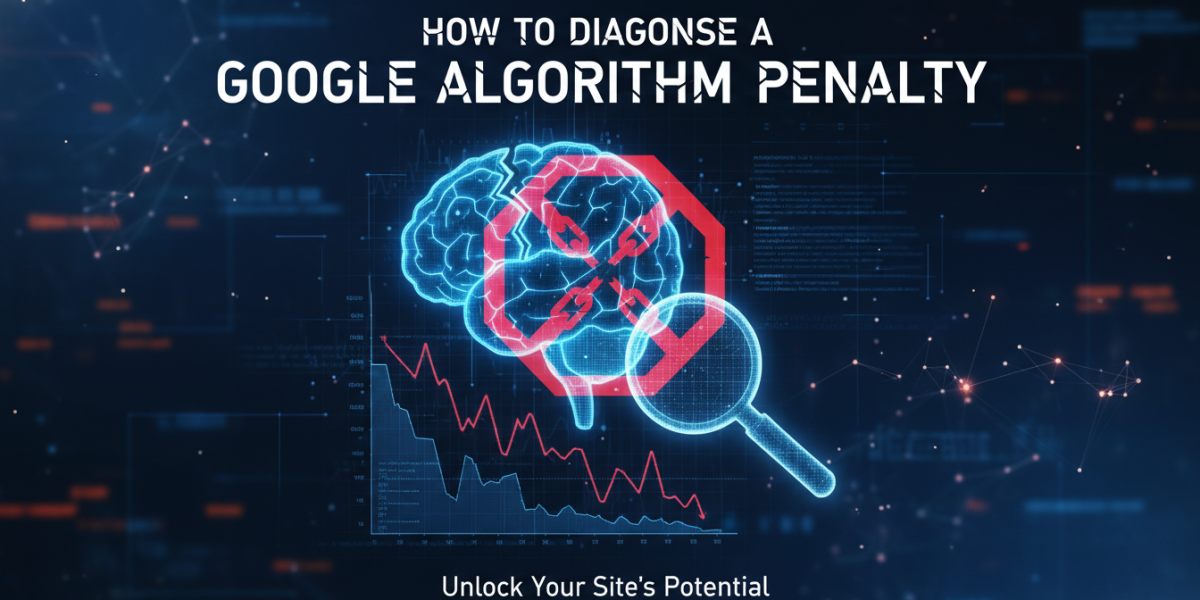
If your website’s traffic dropped overnight — or has been slowly bleeding out over recent months — there’s a reasonable chance a Google algorithm penalty is at the root of it. But before you start pulling everything apart, you need to know what you’re actually dealing with. A penalty and a random ranking fluctuation are very different problems, and treating one like the other will waste your time, your budget, and possibly make things worse.
This guide walks you through how to properly diagnose a Google algorithm penalty: what to look for, which tools to use, and how to tell the difference between a targeted manual action and an algorithmic hit.
What Is a Google Algorithm Penalty — And Why It Matters
Google updates its search algorithm thousands of times per year. Most updates are minor tweaks that go unnoticed. But some — the named, core algorithm updates like Panda, Penguin, Helpful Content, and the regular Core Updates — can cause significant, sudden changes in rankings and organic traffic.
A "penalty" in the traditional sense refers to a manual action: a human reviewer at Google has identified a violation of their webmaster guidelines and applied a direct punishment to your site. But many SEOs also use the term loosely to describe an algorithmic hit — where your site has been caught on the wrong side of a major update, even without any manual intervention.
Understanding which type you’re dealing with changes your entire recovery approach.
Step 1 – Check Google Search Console for Manual Actions
This is your first stop, full stop. Google Search Console gives you direct visibility into whether a manual action has been applied to your site.
How to Find Manual Actions
Log into Google Search Console, navigate to Security & Manual Actions, then click Manual Actions. If you see "No issues detected," your site has no active manual penalties. If something’s listed there, you’ll see a description of the violation — whether it’s unnatural links, thin content, spammy structured data, or something else.
Manual actions are relatively rare but serious. Google is legally and reputationally motivated to be transparent about these — they notify you directly through Search Console and often include enough detail to understand what triggered it.
What to Do If You Find One
Read the notification carefully. Google typically specifies whether the action affects the entire site or just a specific section. Note the date the action was applied, document it, and start gathering evidence before making any changes. Rushing into fixes without a clear picture of the issue almost always leads to incomplete recoveries.
Step 2 – Cross-Reference Your Traffic Drop with Known Algorithm Updates
If Search Console shows no manual action, the next step is timing. When exactly did your traffic drop — and does it align with a confirmed Google algorithm update?
Using Traffic Data to Pinpoint the Cause
Pull your Google Analytics data (or GA4) and look at organic sessions over the past 12 to 18 months. Identify the exact date the drop began. Then cross-reference that date against Google’s confirmed algorithm update history.
Resources like Semrush’s Google Algorithm Changes tracker, Moz’s Google Algorithm Change History, and Search Engine Roundtable maintain detailed logs of confirmed and unconfirmed updates, often with the exact rollout dates. If your traffic dropped within two to five days of a named Core Update, that’s a strong signal.
It’s Not Always One Update
Sometimes a site has been hit by multiple updates in sequence — or was already weakened by one update before another finished it off. This is particularly common with sites that recovered partially from an earlier Penguin or Panda hit but never fully cleaned up the underlying issues.
Diagnosing an Algorithmic Penalty: Key Signals to Look For
Once you’ve established the timing, dig deeper into the nature of the drop. An algorithmic hit leaves a pattern — and reading that pattern tells you which algorithm was likely involved.
Traffic drop that’s sitewide? That usually points to a Core Update or a broad quality signal issue. Google’s Helpful Content system, for example, evaluates entire websites — not just individual pages.
Drop limited to specific pages or sections? This suggests a more targeted issue. If product pages tanked but the blog held steady, that tells a different story than a site-wide collapse.
Rankings disappeared for keyword clusters? Check which keyword groups you lost. If you lost rankings for highly commercial, transactional terms but kept informational rankings, that points toward E-E-A-T (Experience, Expertise, Authoritativeness, Trustworthiness) issues on conversion-focused content.
Indexed pages dropped suddenly? If Google is crawling but not indexing your pages, or if you lost a significant chunk of indexed URLs, that could indicate a crawlability issue or a quality-based de-indexation decision.
H2: Diagnosing a Google Algorithm Penalty Through Link Profile Analysis
Backlinks remain one of Google’s most important ranking signals — and they’re also one of the most common sources of algorithmic penalties. Google’s Penguin algorithm, which became part of the core algorithm in 2016, targets manipulative or unnatural link patterns.
Tools for Auditing Your Backlink Profile
Use Ahrefs, Semrush, or Majestic to pull a full backlink report. Look for:
- A sudden spike in low-quality or irrelevant backlinks
- Links from private blog networks (PBNs) or link farms
- Over-optimised anchor text (e.g., exact-match commercial phrases across too many links)
- A high proportion of links from sites with very low domain authority scores
Compare your current backlink profile to what it looked like before the traffic drop. If a wave of spammy links appeared in the weeks or months before the penalty, that’s a meaningful pattern.
The Disavow File — Use It Carefully
If you identify genuinely toxic links, Google’s Disavow Tool allows you to tell Googlebot to ignore specific URLs or domains when evaluating your site. However, this should be used cautiously. Disavowing quality links by mistake can remove positive signals you need. Most SEO professionals recommend only disavowing links you’re confident are harmful, and documenting every decision.
Step 3 – Evaluate Your Content for Quality Issues
Content quality issues are increasingly central to Google’s algorithm updates. The Helpful Content Update (first rolled out in August 2022 and subsequently expanded) specifically targets content created primarily for search engines rather than actual readers.
Signs your content may be triggering quality concerns:
- Thin pages with fewer than 300–400 words that offer little original insight
- Templated or auto-generated content across large portions of the site
- Doorway pages built purely to rank for geographic or product variations
- Content that answers a question poorly, incompletely, or inaccurately
Google’s own Search Quality Rater Guidelines (publicly available) lay out in significant detail what their human evaluators are looking for. These raters don’t directly change rankings but their feedback informs algorithm training. Reading those guidelines gives you a genuine window into Google’s expectations.
H2: Common Google Algorithm Penalty Patterns and What They Mean
Different algorithms leave different fingerprints. Here’s how to read them.
| Pattern | Likely Cause |
|---|---|
| Sitewide traffic loss after a Core Update | Broad quality or E-E-A-T signal issue |
| Drop in rankings for commercial keywords | Thin or low-trust money pages |
| Sudden loss of featured snippets | Content quality or comprehensiveness gap |
| Link-heavy sites losing authority | Penguin-related unnatural link signal |
| New sites plateauing and then dropping | Sandbox effect or HCU classification |
No single pattern tells the whole story, but combining this with your traffic timeline and Search Console data gives you a working hypothesis to test.
Frequently Asked Questions
What’s the difference between a manual penalty and an algorithmic penalty?
A manual penalty is applied by a human reviewer at Google and will appear in Google Search Console under Manual Actions. An algorithmic penalty is an automatic consequence of an algorithm update — your site didn’t break any guidelines in a way a person reviewed, but the algorithm assessed your site as lower quality. The recovery process is different for each, which is why correctly identifying which you’re dealing with is so important.
How long does it take to recover from a Google algorithm penalty?
Recovery timelines vary significantly. A manual action can sometimes be resolved within a few weeks if you submit a reconsideration request and Google accepts it. Algorithmic recoveries are slower — often three to six months at a minimum, since you need to wait for the next algorithm update or re-crawl before changes take effect. Some sites hit hard by the Helpful Content Update, for example, have reported recovery taking six to twelve months of sustained improvement.
Can a competitor cause a Google penalty on my site?
Technically yes — this is called negative SEO, where a bad actor builds toxic links to your site in an attempt to harm your rankings. However, Google has stated it’s generally good at ignoring this kind of manipulation. If you’re concerned, monitor your backlink profile regularly and use the Disavow Tool if you find suspicious link patterns pointing to your site that you didn’t build.
Is it possible to recover a site without professional help?
Yes, many site owners successfully diagnose and recover from penalties on their own — particularly from manual actions where the issue is clearly described. However, algorithmic penalties are often more complex, involving interlocking issues with content, links, and technical SEO. If your business depends significantly on organic traffic, getting a professional audit can save time and reduce the risk of incomplete recovery.
How do I know if the issue is a penalty or just normal ranking fluctuation?
Normal fluctuations usually resolve within a week or two and tend to affect rankings in small increments. A penalty-related drop is typically sharper, more sustained, and often correlates directly with a specific Google update date. If organic traffic is down 20%, 30%, or more and hasn’t recovered after four to six weeks, that’s not a fluctuation — that’s a signal worth investigating seriously.
Conclusion
Diagnosing a Google algorithm penalty is not a single action — it’s a process of elimination. You start with the clearest signal (Search Console manual actions), then work backwards through your traffic data, update timelines, backlink profile, and content quality. Each layer adds context until a clear picture begins to form.
The single most important thing you can do is avoid guessing. Acting on incomplete diagnosis — randomly deleting content, disavowing links without evidence, or rebuilding your site based on the wrong assumption — can cause more damage than the original penalty. Take the time to gather data, document what you find, and form a clear hypothesis before you make any significant changes.
Concerned about a traffic drop or want a professional eye on your site? Our team works with businesses at every stage of SEO recovery, from initial diagnosis through to long-term strategy. Whether you’re trying to understand what happened or want a comprehensive audit, we’re happy to help.
Get in touch — email us at moc.ssobebolg@ofni or call +353 1 868 2345 and we’ll talk through your situation with no pressure and no jargon.
Related Posts
 Navigating Google Algorithm Updates
 The Post-Penalty Checklist Restoring Trust with Google Ireland
 Hit By a Google Algorithm Update A 5-Step Recovery Plan
 What is the impact of Google’s algorithm updates on Dublin SEO?
 Google answers if adding content daily increases rankings
 Google helpful content algorithm update launching soon
 Google publishes guide to current retired ranking systems
 Expert SEO google algorithm predictions for 2025