
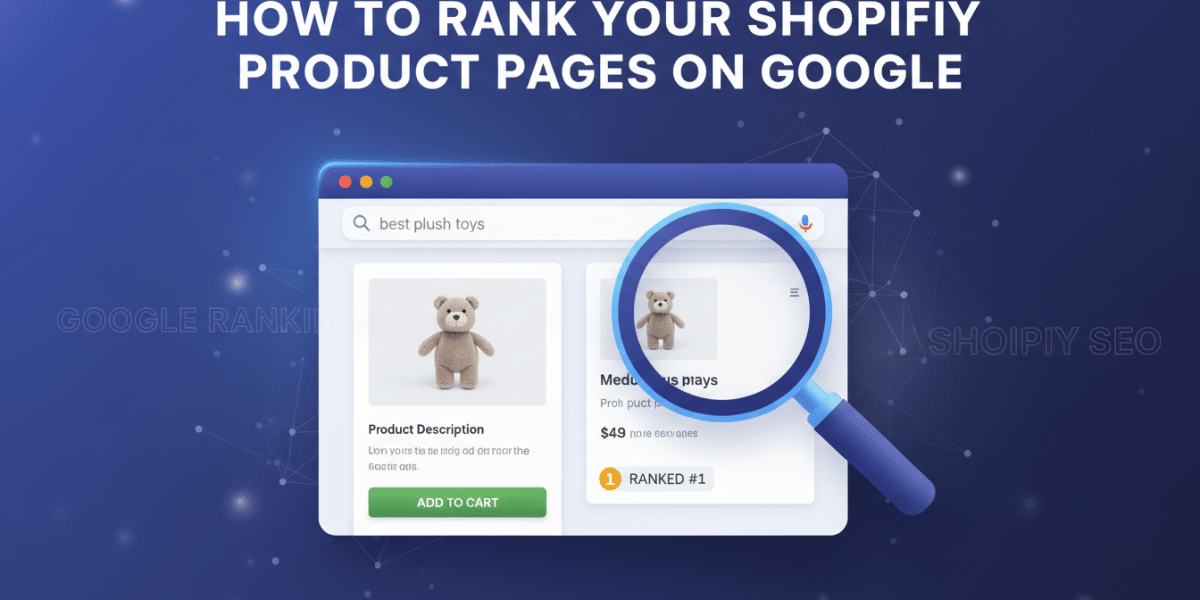
Unlock Your Store’s Potential: How to Rank Your Shopify Product Pages on Google
In the bustling online marketplace, having a fantastic product is only half the battle. The real challenge lies in getting that product seen by the right people at the right time. For Shopify store owners, this often means answering the crucial question: How to rank your Shopify product pages on Google? It’s not magic; it’s a strategic blend of optimising your store, understanding your customers, and playing by Google’s rules.
Think of Google as the world’s largest shopping mall directory. If your store isn’t listed prominently for the products you sell, potential customers will walk right past you, even if your offerings are superior. This article will guide you through the practical, actionable steps you can take to elevate your Shopify product pages in search results, driving more organic traffic and, ultimately, more sales. Let’s dive into making your products unmissable.
The Foundation: Optimizing Your Product Page Content
Your product page is the storefront of your online business. Every element on it presents an opportunity to tell Google what your product is about and convince potential customers to click “add to cart.”
Crafting Irresistible Product Titles
Your product title is arguably the most important on-page SEO element. It’s the first thing both Google and potential customers see.
- Be Descriptive and Keyword-Rich: Don’t just list the product name. Include important keywords customers might search for. For example, instead of just “Running Shoes,” try “Men’s Lightweight Trail Running Shoes – Waterproof & Breathable.” Include brand, model, key features, and variations (size/color) where natural.
- Think Like Your Customer: What exact phrase would they type into Google? Use those terms.
- Prioritize Important Keywords: Place your most crucial keywords towards the beginning of the title, as these carry more weight.
Writing Compelling Product Descriptions
Beyond merely listing features, your product descriptions need to sell the experience and address customer needs. Google values unique, detailed, and helpful content.
- Focus on Benefits, Not Just Features: Instead of “Made with XYZ material,” explain “XYZ material ensures maximum durability, extending the life of your product.”
- Use Natural Language and Storytelling: Make it engaging! Paint a picture of how the product will improve the customer’s life.
- Incorporate Relevant Keywords Naturally: Weave in keywords that describe your product without sounding forced or repetitive.
- Break It Up: Use bullet points, bold text, and short paragraphs to make it scannable and easy to digest. Nobody wants to read a wall of text.
- Answer Potential Questions: Think about common customer questions and answer them within the description. This adds value and reduces bounce rate.
Optimizing Product Images and Videos
Visuals are crucial for e-commerce, but they also offer SEO opportunities.
- High-Quality Images: Use clear, professional, high-resolution images from multiple angles.
- Descriptive Alt Text: This is vital for accessibility and SEO. Describe exactly what’s in the image using relevant keywords. For instance, instead of “image1.jpg,” use “red-leather-crossbody-bag-front-view.jpg” with alt text “Red leather crossbody bag with gold hardware, perfect for daily use.”
- Optimize File Sizes: Large images slow down your page. Use tools to compress images without sacrificing quality. Shopify automatically optimises images, but pre-optimising can help further.
- Consider Product Videos: Videos keep users on your page longer and provide a richer experience, both of which Google appreciates.
Crafting SEO-Friendly URLs
Your product page URLs should be clean, concise, and descriptive.
- Use Keywords: Include your main product keyword in the URL.
- Keep It Short and Readable: Avoid long strings of numbers or irrelevant words.
- Example:
yourstore.com/collections/dresses/products/floral-maxi-dressis much better thanyourstore.com/products/prod12345?variant=56789. Shopify allows you to edit URL handles.
Writing Effective Meta Descriptions
While not a direct ranking factor, meta descriptions are critical for click-through rates (CTR) from search results.
- Compelling Snippet: This is your advertisement in Google search results. Write a compelling summary (around 150-160 characters) that encourages clicks.
- Include Keywords: Google often bolds keywords in the meta description if they match the user’s query, making your listing stand out.
- Call to Action: Include a subtle call to action like “Shop now,” “Learn more,” or “Discover our range.”
Leveraging Product Reviews and User-Generated Content
Customer reviews are incredibly powerful, both for SEO and conversion.
- Google Loves Fresh Content: Reviews provide unique, fresh content that search engines crave.
- Build Trust and Authority: Reviews signal to Google that your products are valued by real people. They also significantly increase customer trust.
- Use Review Apps: Shopify has numerous apps (e.g., Loox, Judge.me, Yotpo) that make it easy to collect and display reviews, often with schema markup built-in.
- Respond to Reviews: Engaging with reviews, both positive and negative, shows excellent customer service and builds community.
Technical SEO: Ensuring Google Can Find and Understand Your Pages
Even the best content won’t rank if Google can’t properly crawl, index, and understand your pages. Shopify handles much of the technical SEO automatically, but there are still areas you need to manage.
Page Speed is Paramount
A slow website frustrates users and hurts your rankings. Google prioritizes fast-loading sites.
- Compress Images: As mentioned, optimise image file sizes.
- Limit Apps: Too many Shopify apps can slow down your store. Periodically audit and remove unused or unnecessary apps.
- Choose a Fast Theme: Some Shopify themes are more optimised for speed than others.
- Consider a CDN (Content Delivery Network): Shopify uses CDNs automatically, which helps deliver your content quickly to users worldwide.
Mobile Responsiveness is Non-Negotiable
The majority of online shopping now happens on mobile devices. Google operates on a mobile-first indexing basis.
- Ensure Your Theme is Responsive: Most modern Shopify themes are inherently responsive, meaning they adapt to different screen sizes. Double-check your store’s appearance on various devices.
- Test with Google’s Mobile-Friendly Test: Use this free tool to ensure your product pages pass Google’s criteria.
Implementing Schema Markup for Rich Snippets
Schema markup (or structured data) is code that helps search engines better understand the content on your page. For product pages, this is huge.
- Product Schema: This markup allows Google to display “rich snippets” in search results, showing product ratings, price, availability, and sometimes images directly in the search results.
- Increased Visibility & CTR: Rich snippets make your listing stand out, significantly increasing your chances of getting clicks.
- Shopify Apps: Many Shopify SEO apps (or even your theme) can help implement product schema automatically. Verify it’s working using Google’s Rich Results Test.
XML Sitemaps and Robots.txt
These files guide search engines on how to crawl your site.
- XML Sitemaps: Shopify automatically generates and updates your sitemap (usually found at
yourstore.com/sitemap.xml). Ensure it’s submitted to Google Search Console so Google knows about all your product pages. - Robots.txt: This file tells search engines which parts of your site not to crawl. Shopify manages this for you, and it’s rarely something you need to modify directly unless you have specific reasons to block certain pages.
Building Authority and Trust: Off-Page SEO
While on-page and technical SEO focus on what’s on your site, off-page SEO deals with external signals that tell Google your site is trustworthy and authoritative.
Earning Quality Backlinks
Backlinks (links from other websites to yours) are still one of the strongest ranking signals.
- Focus on Quality, Not Quantity: A few links from high-authority, relevant websites are worth far more than hundreds of links from low-quality, spammy sites.
- Guest Blogging: Write articles for other blogs in your niche and include a link back to your product pages (or relevant informational content that then links to your products).
- Product Mentions/Reviews: Reach out to relevant influencers, bloggers, or review sites to feature your products.
- Broken Link Building: Find broken links on relevant sites and suggest your product page as a replacement.
- Don’t Buy Links: This is a black-hat tactic that can result in severe penalties from Google.
Social Media Engagement
While social media signals aren’t direct ranking factors, they play an indirect role.
- Drive Traffic: Sharing your product pages on social media can drive traffic, which Google notices.
- Brand Awareness: Increased brand awareness can lead to more direct searches for your products.
- Engagement: Active social profiles signal a legitimate, engaging brand, which aligns with Google’s goal of presenting reputable businesses.
User Experience (UX): Keep Shoppers Happy
Google increasingly prioritizes user experience. A website that’s a joy to use will naturally perform better in search.
Intuitive Navigation
- Clear Categories: Organize your products into logical categories that make sense to your customers.
- Breadcrumbs: Implement breadcrumbs (
Home > Category > Product) on your product pages to help users (and Google) understand your site structure. - Search Functionality: Ensure your on-site search is robust and provides accurate results.
Clear Calls to Action (CTAs)
- Prominent “Add to Cart” Buttons: Make it easy for customers to take the next step.
- Clear Pricing and Shipping Info: Be transparent about costs to avoid surprises.
Streamlined Checkout Process
A complex or confusing checkout process is a leading cause of abandoned carts. Keep it simple and quick. Shopify’s native checkout is generally well-optimised for this.
Monitoring, Analyzing, and Iterating
SEO is not a one-time task; it’s an ongoing process of improvement.
Leverage Google Analytics and Search Console
These free tools are indispensable for understanding your performance.
- Google Search Console: Monitor your product page indexing status, identify crawl errors, see which keywords bring traffic, and track your click-through rates.
- Google Analytics: Understand user behavior on your product pages: bounce rate, time on page, conversion rates, and traffic sources.
Conduct Competitor Analysis
- See What’s Working: Analyze competitors who are ranking well for similar products. What are their titles, descriptions, image strategies, and pricing like?
- Find Gaps: Identify opportunities where you can offer more value or better content.
Regularly Update and Refresh Content
- Seasonal Updates: Add seasonal keywords or promotions to your product pages.
- Product Enhancements: Update descriptions with new features, benefits, or use cases.
- Fresh Reviews: Encourage continuous review collection.
Conclusion: Your Shopify Product Pages Can Dominate Search
Learning how to rank your Shopify product pages on Google isn’t about gaming the system; it’s about making your store the absolute best resource for the products you sell. By diligently focusing on high-quality product content, ensuring a solid technical foundation, building external authority, and prioritizing an exceptional user experience, you’ll naturally align with what Google wants to see.
It’s a continuous journey, not a destination. But with each optimised title, descriptive image, compelling review, and earned backlink, you’ll be one step closer to your Shopify products standing out in Google’s search results, attracting more customers, and growing your thriving online business. Start small, be consistent, and watch your store’s visibility soar!
Related Posts
 Out-of-Stock Product Pages: Delete, Redirect or Keep?
 How to Write Product FAQs That Rank in Googleʼs Featured Snippets
 How to Rank Your Deli on the First Page of Google
 How to Rank Your Online Store on Google’s First Page
 3 ways to make your content rank higher on google
 Location Pages That Rank Without Being Doorway Pages
 Delivery, Returns and Size Guide Pages: Hidden SEO Value
 SEO FAQs for Small Businesses: How to Rank Higher on Google in Dublin