
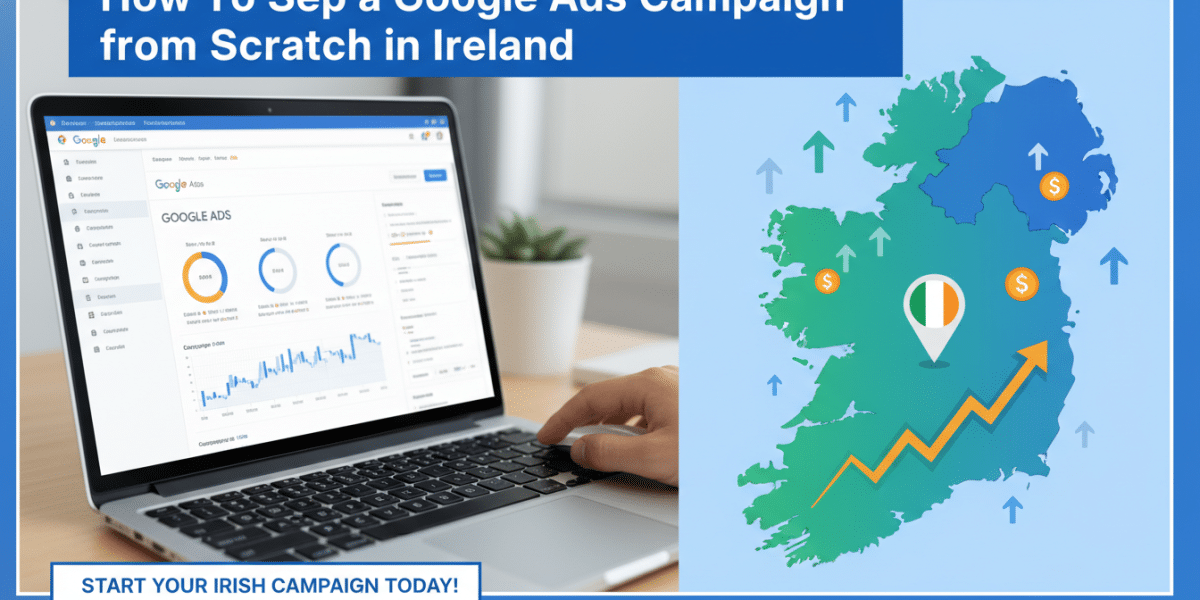
Alright there! If you’re running a business in Ireland, whether it’s a bustling café in Cork, a thriving tech startup in Dublin, or a unique craft shop nestled in the wilds of Galway, you’re likely always on the lookout for effective ways to reach your customers. In today’s digital landscape, one of the most powerful tools at your disposal is Google Ads. It’s the digital equivalent of putting your shop front on the busiest street in the country, ensuring potential customers see you exactly when they’re looking for what you offer.
But for many, the idea of how to set up a Google Ads campaign from scratch in Ireland can feel a bit daunting. Keywords, bids, ad groups – it can sound like a foreign language. Fear not! This comprehensive guide is designed to demystify the process, walking you through every step in a clear, human, and engaging way. By the time you’re done reading, you’ll have a solid understanding of how to launch a successful Google Ads campaign right here in Ireland, driving real results for your business.
Why Google Ads is a Game-Changer for Irish Businesses
Before we dive into the nitty-gritty, let’s quickly touch upon why Google Ads is such a vital tool for businesses operating in Ireland.
First off, Google dominates the search engine market globally, and Ireland is no exception. When people want to find something – a local plumber in Limerick, an online shop selling Irish gifts, or a solicitor in Sligo – their first port of call is usually Google. By appearing at the top of these search results, you’re placing your business directly in front of highly motivated individuals who are actively searching for your products or services.
Secondly, Google Ads offers unparalleled targeting capabilities. You can specify not just who sees your ads (demographics, interests), but also where they are. This is incredibly powerful for Irish businesses, allowing you to target customers down to a specific county, town, or even a radius around your physical location. Imagine being able to show your ad only to people searching for “best fish and chips” within 5km of your takeaway in Dingle!
Finally, it’s measurable. Unlike traditional advertising, every euro you spend on Google Ads can be tracked. You’ll know exactly how many people saw your ad, clicked it, and ultimately converted into a customer. This data-driven approach means you can continuously refine your campaigns, ensuring maximum return on your investment.
Step 1: Laying the Foundation – What You Need Before You Start
Even before you log into Google Ads, a little groundwork will save you a lot of time and money. Think of it as preparing your business plan before you build your empire.
Define Your Goals
What do you want your Google Ads campaign to achieve? Be specific. Common goals include:
- Generate leads: Get potential customers to fill out a form, call you, or send an email. (e.g., a B&B in Kerry wanting booking enquiries).
- Increase online sales: Drive traffic directly to product pages for purchases. (e.g., an e-commerce store selling Irish tweed).
- Boost website traffic: Get more eyes on your content, even if it’s not an immediate sale. (e.g., a travel blog promoting Irish destinations).
- Enhance brand awareness: Make more people aware of your business and its offerings. (e.g., a new café chain opening across Cork).
Having clear goals will inform every decision you make, from keyword selection to bidding strategy.
Understand Your Audience
Who are you trying to reach?
- Demographics: Age, gender, income.
- Interests: What else are they interested in?
- Location: Are they in Dublin, or all of Ireland? Both? Do you need to target tourists specifically?
- Pain points/Needs: What problem does your product or service solve for them?
For example, if you sell artisanal Irish cheese online, your audience might be foodies across Ireland, aged 25-55, interested in gourmet products and supporting local businesses.
Research Your Competition
What are your rivals doing? Search for your main keywords on Google and see whose ads pop up.
- What kind of ad copy are they using?
- What offers or unique selling propositions (USPs) are they highlighting?
- Do they use ad extensions?
This isn’t about copying, but understanding the competitive landscape and finding ways to differentiate yourself.
Set a Realistic Budget
How much are you willing to spend? Google Ads works on a daily budget, which then averages out over a month. Start with an amount you’re comfortable with, knowing you can always adjust it. For a local Irish business, a daily budget of €10-€30 might be a good starting point to test the waters. Remember, it’s an investment, not just an expense.
Step 2: Diving into Google Ads – Setting Up Your Account
Now, let’s roll up our sleeves and get into the platform itself.
- Head to ads.google.com: If you have a Google account (like Gmail), you can use that to sign in.
- Choose “Switch to Expert Mode”: This is crucial! When you first land on Google Ads, it tries to push you towards a simplified “Smart Mode.” While seemingly easier, Smart Mode offers very limited control and often less effective results. Always choose “Switch to Expert Mode” at the bottom of the page to unlock all the powerful features you’ll need.
- Create a New Campaign (or skip for now): Google might prompt you to create a campaign immediately. You can choose to skip this for now to get to your account dashboard first.
- Confirm Account Details: Make sure your billing country is Ireland, your time zone is (GMT+00:00) Dublin, and your currency is Euro (€). These settings are vital for accurate targeting and billing.
Once your account is set up, you’ll be presented with the Google Ads dashboard – your control centre for all campaigns.
Step 3: Crafting Your First Campaign
This is where your strategy starts to take shape within the Google Ads platform.
Choosing Your Campaign Type
Google Ads offers several campaign types, each suited for different goals:
- Search Campaigns: Ads appear on Google search results, ideal for capturing intent. (Our focus for this guide).
- Display Campaigns: Image/banner ads appear on websites across the Google Display Network, great for brand awareness and remarketing.
- Shopping Campaigns: Product listings with images and prices, perfect for e-commerce.
- Video Campaigns: Ads on YouTube and across the Google video partner network.
- App Campaigns: Drive app downloads and engagement.
- Performance Max: A newer, automated campaign type that leverages AI across all Google channels.
For beginners learning how to set up a Google Ads campaign from scratch in Ireland, we highly recommend starting with Search Campaigns. They directly target people searching for what you offer, meaning higher intent and often a better initial return on investment.
Setting Your Campaign Goals within Google Ads
When creating a new campaign, Google will ask “What’s your objective?” Align this with the goals you defined in Step 1. For example, choose “Sales,” “Leads,” or “Website traffic.” You can also create a campaign without a goal’s guidance, which gives you the most flexibility.
Geographical Targeting
This is where the “in Ireland” part becomes paramount.
- Target Locations: You can target entire countries (Ireland), specific counties (e.g., County Dublin, County Cork), cities (e.g., Galway City, Limerick), or even specific postcodes.
- Radius Targeting: For local businesses, targeting a radius around your physical address (e.g., 5km around your shop in Ranelagh, Dublin) is incredibly effective.
- Exclude Locations: Just as important as targeting is excluding. If you’re a local service business, you might want to exclude certain areas you don’t serve to avoid wasted ad spend.
Make sure your target audience aligns with where your Irish customers are located.
Language Settings
Set your language to “English.” If you cater to a specific niche that uses Irish (Gaeilge), you could consider adding “Irish” as well, but for most businesses, English will suffice.
Budget and Bidding Strategy
- Daily Budget: Enter the daily amount you’re comfortable spending (e.g., €15). Google will manage your spend to stay within this limit over a month.
- Bidding Strategy: This tells Google how you want to spend your budget.
- Automated Strategies (e.g., Maximize Clicks, Maximize Conversions): Google’s AI optimises bids based on your goal. “Maximize Clicks” is often a good starting point for new campaigns to get initial traffic.
- Manual CPC (Cost Per Click): Gives you full control over how much you bid for each click. This is excellent for beginners who want to understand bidding dynamics without breaking the bank. Start with Manual CPC to gain experience, then consider automated strategies as you gather data.
Step 4: Keyword Research – The Heartbeat of Your Campaign
Keywords are the words and phrases people type into Google when searching. Choosing the right ones is fundamental to a successful campaign.
Using Google Keyword Planner
This free tool (found under “Tools and Settings” in Google Ads) is your best friend.
- Discover New Keywords: Enter relevant terms related to your business (e.g., “handmade jewellery Ireland,” “digital marketing agency Dublin,” “farmhouse accommodation Wexford”).
- Get Search Volume and Forecasts: The Planner will suggest related keywords, show you their average monthly searches in Ireland, and give you an estimate of their competitiveness and suggested bid range.
Look for keywords with decent search volume and reasonable competition.
Types of Keywords
This is where precision comes in:
- Broad Match: Your ad can show for searches broadly related to your keyword, including synonyms and misspellings. (e.g.,
Irish craftscould trigger for “buy gifts from Ireland” or “handmade items”). Use sparingly for beginners as it can attract irrelevant clicks. - Phrase Match: Your ad shows for searches that include your keyword phrase in the exact order, but with words before or after it. (e.g.,
"Irish crafts online"could trigger for “best Irish crafts online shop” or “where to buy Irish crafts online”). - Exact Match: Your ad only shows for searches that are identical to your keyword phrase, or very close variants. (e.g.,
[Irish crafts online]would only trigger for “Irish crafts online” or “online Irish crafts”). This offers the most control and highest relevance.
Start with a mix of Phrase Match and Exact Match keywords for better control over your ad spend and relevance.
Local Keywords
Don’t forget to incorporate location-specific keywords if your business has a physical presence or serves specific areas in Ireland.
- “Plumber Cork”
- “Web design Limerick”
- “Yoga classes Galway city”
- “Accountant Dublin 2”
Importance of Negative Keywords
These are phrases you don’t want your ad to show for. They’re critical for saving money.
- If you sell new cars, you’d add
used,second hand,free,jobsas negative keywords. - If you sell artisan bread, you’d add
recipeorhow to make. - If you’re a hotel, you might add
B&Bif you only offer hotel services.
Regularly check your “Search terms report” (under Keywords) to identify new negative keywords to add.
Step 5: Structuring Your Ad Groups and Writing Compelling Ads
Good structure ensures that your ads are highly relevant to the searches.
Ad Group Organisation
Think of Ad Groups as categories within your campaign. Each ad group should contain a tightly themed set of keywords and corresponding ads.
- Campaign: “Irish Craft Shop Online”
- Ad Group 1: “Handmade Jewellery Ireland” (Keywords:
[handmade jewellery Ireland],"irish jewellery online") - Ad Group 2: “Irish Pottery Gifts” (Keywords:
[Irish pottery gifts],"buy Irish ceramics") - Ad Group 3: “Celtic Knot Artwork” (Keywords:
[celtic knot artwork],"celtic art prints Ireland")
- Ad Group 1: “Handmade Jewellery Ireland” (Keywords:
This ensures that someone searching for “Irish pottery gifts” sees an ad specifically about Irish pottery, not general jewellery.
Crafting Your Ad Copy
This is your opportunity to grab attention! You’ll be writing Responsive Search Ads, which allow Google to mix and match various headlines and descriptions to find the best performing combinations.
- Headlines (up to 15): Aim for 3-5 that include your keywords, 2-3 that highlight your USPs, and 1-2 with a call to action. Each headline is 30 characters.
- Example: “Irish Crafts Online”, “Handmade in Ireland”, “Nationwide Delivery”, “Support Local Artisans”, “Unique Gift Ideas”, “Shop Now & Save!”.
- Descriptions (up to 4): Provide more detail, up to 90 characters each. Highlight benefits, special offers, or what makes your Irish business stand out.
- Example: “Discover authentic Irish crafts & unique gifts from local artisans. Fast delivery across Ireland.”, “Find the perfect present for any occasion. Support small Irish businesses today!”.
- Display Path: A virtual path that appears in your ad URL (e.g., www.yourstore.ie/gifts/irish).
- Final URL: The exact page on your website where users will land (e.g., www.yourstore.ie/irish-crafts). Make sure it’s relevant to the ad and keywords.
- Call to Action (CTAs): Clear instructions like “Shop Now,” “Get a Quote,” “Book Your Stay,” “Call Us Today.”
- Unique Selling Proposition (USP): What makes your Irish business special? Is it sustainability, local sourcing, award-winning service, or unique products? Emphasise it!
Leveraging Ad Extensions
Ad extensions add extra bits of information to your ads, making them more prominent and useful.
- Sitelink Extensions: Links to specific pages on your website (e.g., “About Us,” “Contact,” “Our Services,” “Reviews”).
- Callout Extensions: Short, descriptive phrases highlighting features or benefits (e.g., “Free Shipping Ireland,” “Award-Winning Service,” “Family Run Business”).
- Structured Snippets: Highlight specific aspects of your products/services (e.g., Types: “Weddings, Corporate Events, Birthdays”).
- Call Extensions: Display your Irish phone number directly in the ad, allowing users to call with one click. Essential for service businesses!
- Location Extensions: Show your business address and a map link, useful for physical shops or offices.
Always aim to use at least 3-4 different types of ad extensions for maximum impact.
Step 6: Setting Up Conversion Tracking (Crucial for ROI)
This is non-negotiable. If you don’t know what’s working, you’re just guessing. Conversion tracking tells you when a valuable action (a “conversion”) happens on your website or through your ads.
- What to track:
- Website purchases
- Form submissions (contact forms, quote requests)
- Phone calls from ads or your website
- Newsletter sign-ups
- Downloads (e.g., brochure)
- How to set it up: Go to “Tools and Settings” > “Conversions.” You’ll create a new conversion action and get a piece of code (Google tag or Google Tag Manager script) to add to your website. If you’re using a website builder like Shopify or WordPress, there are often easier integration options or plugins.
Connecting your Google Ads to Google Analytics 4 (GA4) is also highly recommended for a more holistic view of your website’s performance.
Step 7: Launching and Ongoing Optimisation
With everything set up, it’s time to launch! But your work doesn’t end there. Google Ads is not a “set it and forget it” platform.
- Review Everything: Before hitting that “Enable” button, double-check all your settings: budget, targeting, keywords, ad copy, and especially your conversion tracking.
- Monitor Performance Closely: For the first few days/weeks, keep a very close eye on your campaigns. Look at:
- Impressions: How many times your ad was shown.
- Clicks: How many people clicked your ad.
- CTR (Click-Through Rate): Clicks divided by impressions – indicates ad relevance.
- CPC (Cost Per Click): How much you’re paying for each click.
- Conversions & Conversion Rate: How many valuable actions are happening and at what rate.
- Cost Per Conversion: Your total cost divided by the number of conversions – this is your ultimate measure of ROI.
- Adjust and Optimise:
- Keywords: Pause underperforming keywords, add new ones you discover in your search terms report, and add more negative keywords.
- Bids: Adjust bids up for keywords that are performing well but not getting enough impressions, and down for expensive, underperforming ones.
- Ad Copy: A/B test different headlines and descriptions. Which ones resonate most with your Irish audience?
- Targeting: Are certain locations in Ireland performing better or worse? Adjust your bids or exclusions accordingly.
- Landing Pages: Ensure the page users land on after clicking your ad is relevant, loads quickly, and clearly guides them towards your conversion goal.
- Ad Schedule: If you’re a local business, your ads might perform better during specific hours or days of the week.
Optimisation is an ongoing process. Dedicate some time each week to review and refine your campaigns.
Conclusion
Setting up a Google Ads campaign from scratch in Ireland might seem like a marathon, but by breaking it down into manageable steps, it becomes an achievable and incredibly rewarding endeavour. From defining your core business goals and understanding your unique Irish audience, to meticulously selecting keywords, crafting compelling ad copy, and diligently tracking conversions, each step builds towards a powerful marketing machine.
Remember, the initial setup is just the beginning. The real magic happens through continuous monitoring and optimisation. Be patient, be persistent, and don’t be afraid to experiment. With Google Ads, you have the power to put your Irish business in front of thousands of potential customers, precisely when they’re looking for what you offer. So, take that leap, get your business found, and watch your efforts translate into tangible growth right here in the Emerald Isle. Go on, give it a go – your next customer is searching right now!
Dublin's ROI-Driven Digital Marketing Agency Home
Related Posts
 The Biggest Google Ads Mistakes Irish Businesses Make
 How to Use Google Shopping Ads to Grow an Irish E-Commerce Brand
 How much should an Irish startup budget for Google Ads per month?
 TikTok Ads in Ireland: Setup, Costs and Creative Tips
 How to Lower Your Google Ads Cost-Per-Acquisition in Ireland
 LinkedIn Ads vs Facebook Ads for Irish B2B Companies
 How to Set Up GA4 Goals That Actually Measure Business Growth
 How to Build an Email List From Scratch for Your Irish Business