
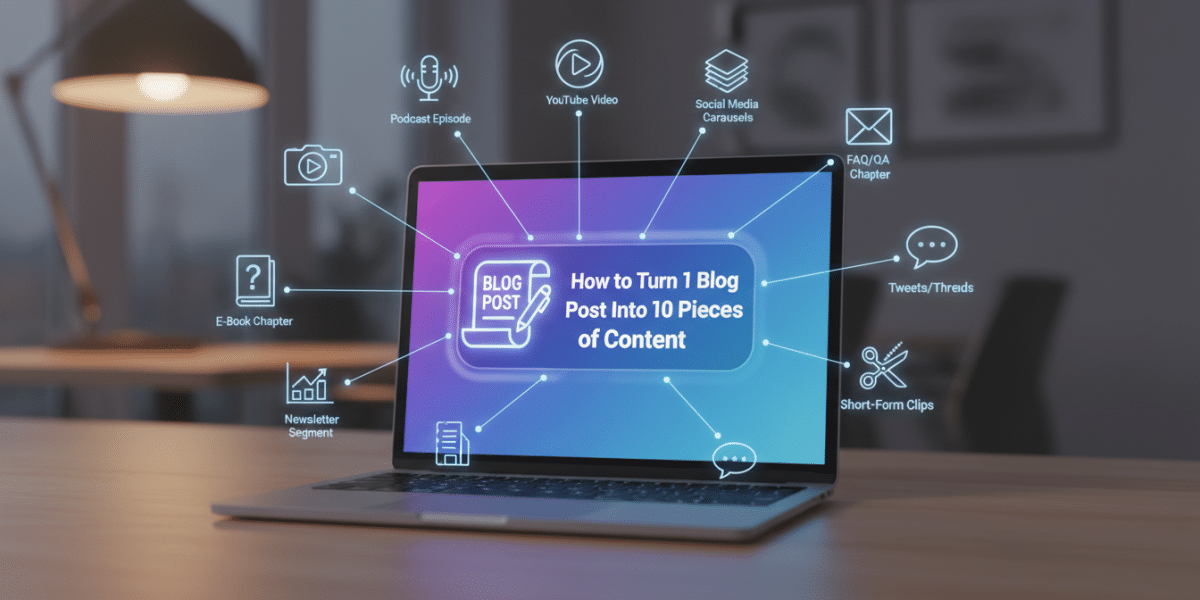
Unlock Your Content Potential: How to Turn One Blog Post Into 10 Pieces of Content (or More!)
Ever feel like you’re on a content creation treadmill? Constantly chasing the next great idea, spending hours crafting that perfect blog post, only for it to get a burst of initial traffic and then slowly fade into the digital ether? You’re not alone. Many content creators, marketers, and business owners face the daunting challenge of consistently producing high-quality, engaging content without burning out. But what if I told you there’s a smarter way? A method that lets you multiply your efforts, reach wider audiences, and get more mileage out of every single piece of content you create? This isn’t about magic; it’s about strategy, and today we’re going to dive deep into how to turn one blog post into 10 pieces of content – and often, even more!
Instead of viewing each piece of content as a standalone sprint, think of your foundational work as a powerful starting block from which countless other valuable assets can spring. This process, known as content repurposing, is a game-changer for efficiency, reach, and reinforcing your brand message. Let’s break down how you can transform that single, well-researched article into a diverse content ecosystem.
Why Repurpose? The Power of Content Leverage
Before we jump into the “how,” let’s quickly solidify the “why.” Understanding the benefits of content repurposing will motivate you to adopt this powerful strategy:
- Save Time & Resources: You’ve already done the heavy lifting of research and writing. Repurposing significantly reduces the time needed for new content creation.
- Reach New Audiences: Different platforms attract different audiences, and different content formats appeal to varying preferences. Repurposing allows you to reach people who might never have seen your original blog post.
- Reinforce Your Message: Hearing your message in multiple formats across various channels increases recall and comprehension. It builds authority and trust.
- Improve SEO & Organic Visibility: More content pieces targeting similar keywords means more opportunities for your brand to rank in search results and drive traffic back to your core assets.
- Stay Relevant & Active: Consistently sharing valuable content across multiple platforms keeps your brand visible and engaged without constant new idea generation.
It’s about working smarter, not harder, and truly maximizing the value of your existing content library.
The Foundation: Your Pillar Blog Post
The success of your content repurposing strategy hinges on one critical element: the quality of your original blog post. This isn’t just any old article; it’s your “pillar post” – a comprehensive, in-depth, and valuable resource on a particular topic. Think of it as the main course from which all other appetizers and side dishes will be derived.
Let’s imagine our example pillar post is: “The Ultimate Guide to Remote Work Productivity: Master Your Workflow & Thrive From Anywhere.” This article covers everything from setting up a home office to time management techniques, communication tools, avoiding distractions, and maintaining work-life balance.
Tips for a Strong Pillar Post:
- Go Deep: Don’t just skim the surface. Cover the topic thoroughly, addressing common questions and pain points.
- Structure Well: Use clear headings, subheadings, bullet points, and short paragraphs to make it scannable and digestible. This makes it easier to extract smaller pieces later.
- Include Data/Examples: Facts, figures, case studies, and relatable examples make your content more authoritative and engaging.
- Be Evergreen: Aim for topics that remain relevant over time, reducing the need for constant updates.
- Call to Action: Even your pillar post should guide readers on what to do next.
Once you have this robust, high-quality article, you’re ready to embark on the exciting journey of how to turn one blog post into 10 pieces of content.
The Transformation: How to Turn One Blog Post Into 10 Pieces of Content
Now for the actionable part! We’ll take our “Ultimate Guide to Remote Work Productivity” and break down exactly how to extract 10 distinct, valuable content pieces from it.
1. Social Media Threads & Carousels
What it is: A series of short, interconnected posts (a thread) or visually engaging slides (a carousel) designed for platforms like X (Twitter), LinkedIn, Instagram, or Facebook.
How to derive it: Break down the main sections or key takeaways of your blog post into digestible chunks. Each chunk becomes a point in your thread or a slide in your carousel.
Example (Remote Work Productivity):
- X Thread: “Struggling with remote work productivity? 🧵 Here are 5 game-changing tips from our Ultimate Guide: 1. Create a dedicated workspace. 2. Master time blocking. 3. Use the Pomodoro Technique. 4. Prioritize async communication. 5. Set clear boundaries. Read the full guide here [link].”
- Instagram Carousel: Each slide features one tip (e.g., “Tip #1: The Power of a Dedicated Workspace” with an image), a short explanation, and a call to action to read the full blog post in your bio.
Tips: Use strong hooks, emojis, and clear calls to action. For carousels, ensure visuals are appealing.
2. Short-Form Video (Reels/TikToks/YouTube Shorts)
What it is: Quick, engaging videos (typically 15-60 seconds) perfect for showcasing tips, tutorials, or answering specific questions.
How to derive it: Pick one or two specific tips, hacks, or statistics from your blog post that can be easily demonstrated or explained visually and concisely.
Example (Remote Work Productivity):
- Video Idea 1: A 30-second Reel demonstrating a “1-Minute Desk Cleanup” routine to signify the start/end of the workday. (“Boost your remote focus in 60 seconds!”)
- Video Idea 2: A talking-head video explaining the “Two-Minute Rule” for tackling small tasks immediately, with onscreen text overlay summarizing the rule.
Tips: Use trending audio, clear visuals, jump cuts, and text overlays to keep viewers engaged. End with a quick call to action to find more tips in your full guide.
3. Podcast Episode or Audio Snippets
What it is: An audio recording where you discuss the topic in more detail, perhaps with a co-host or by expanding on specific points. Snippets are short highlights.
How to derive it: Record yourself discussing the key takeaways, common challenges, and solutions presented in your blog post. You can read excerpts, elaborate on examples, or share personal anecdotes related to the topic.
Example (Remote Work Productivity):
- Podcast Episode: “Episode 42: Beyond the PJs – Unlocking Your Remote Work Potential.” A 15-20 minute episode where you elaborate on 3-4 key productivity strategies from your guide, adding personal insights or current trends.
- Audio Snippet: Take a 60-second clip from the podcast where you explain the “Why” behind setting clear boundaries for remote workers, suitable for sharing on social media.
Tips: Speak naturally, structure your thoughts, and ensure good audio quality. Transcribe the episode for a text version later!
4. Infographic
What it is: A visually appealing graphic that presents information, data, or a process in an easy-to-understand format.
How to derive it: Extract the most important statistics, steps, or a simple workflow from your blog post. Condense complex information into icons, charts, and short text snippets.
Example (Remote Work Productivity):
- An infographic titled “The 5 Pillars of Remote Work Productivity,” visually depicting each pillar (e.g., “Dedicated Space,” “Time Management,” “Communication,” “Boundaries,” “Breaks”) with supporting icons and 1-2 key statistics.
Tips: Use tools like Canva or Piktochart. Focus on clarity, visual hierarchy, and brand consistency. Share on Pinterest, LinkedIn, and embed back into your blog post.
5. Email Newsletter Series
What it is: A sequence of emails sent to your subscribers, typically expanding on different aspects of a broader topic over several days or weeks.
How to derive it: Break your original blog post into 3-5 distinct sub-topics. Each sub-topic becomes a dedicated email, providing value and gently leading subscribers back to the full post.
Example (Remote Work Productivity):
- Email 1: “Your Remote Workspace: The Unsung Hero of Productivity.” Focuses on setting up an ideal physical environment.
- Email 2: “Beat the Clock: Time Management Hacks for Remote Workers.” Dives into strategies like time blocking and Pomodoro.
- Email 3: “Staying Connected: Communication Best Practices for Distributed Teams.”
- Email 4: “Work-Life Harmony: How to Set Boundaries When Your Office is Home.”
- Each email would include a clear CTA: “Read the complete guide to master remote work productivity here!”
Tips: Personalize the emails, provide actionable advice, and ensure a clear flow between each installment.
6. Presentation Slides / Webinar
What it is: A deck of slides (e.g., PowerPoint, Google Slides, Keynote) that visually summarizes your content, often used for live presentations, webinars, or shared on platforms like SlideShare.
How to derive it: Transform the main headings, sub-points, and key data from your blog post into a concise slide deck. Each slide should convey one main idea.
Example (Remote Work Productivity):
- A 20-30 slide presentation titled “Thrive Remotely: Essential Productivity Strategies.” The slides would outline the challenges, introduce solutions from your guide, and offer practical steps. This could be used for a webinar, a company training session, or uploaded to SlideShare.
Tips: Focus on visuals, minimize text on slides, and use bullet points. If presenting live, the slides should support your verbal narrative.
7. Guest Post or Related Articles for Other Platforms
What it is: A unique article written for another website or publication, often focusing on a specific niche within your broader topic, or exploring a new angle.
How to derive it: Pick a sub-topic from your pillar post and expand on it, tailoring it to the audience of another blog. The goal is to offer valuable content and link back to your original guide as a resource.
Example (Remote Work Productivity):
- Guest Post Idea 1: For a tech blog: “5 Essential Tech Tools for Boosting Remote Team Collaboration” (derived from the “Communication Tools” section of your guide).
- Guest Post Idea 2: For a lifestyle blog: “Creating a Mindful Morning Routine for Remote Work Success” (derived from “Work-Life Balance” and “Daily Routine” sections).
Tips: Research the target blog’s audience and style. Ensure your guest post offers unique value while subtly promoting your expertise and linking to your original content.
8. Ebook or Downloadable Guide (Lead Magnet)
What it is: A more extensive, often more polished, digital document (PDF) that provides in-depth information, typically offered in exchange for an email address.
How to derive it: Expand upon your original blog post significantly. Add more examples, exercises, checklists, templates, or resources that couldn’t fit into the blog post.
Example (Remote Work Productivity):
- A 20-page “Remote Work Productivity Playbook” that includes customizable daily schedules, a home office setup checklist, template emails for setting boundaries, and a list of recommended apps – all expanding on points made in the blog post.
Tips: Design it professionally. Make it truly valuable so people are willing to give their email for it. Promote it heavily on your blog post and social media.
9. Q&A Session / Live Stream
What it is: An interactive session where you answer audience questions about your topic in real-time, typically on platforms like Instagram Live, Facebook Live, or YouTube Live.
How to derive it: Promote your original blog post, encouraging readers to submit questions about remote work productivity. Then, host a live session where you address these questions using the knowledge from your guide.
Example (Remote Work Productivity):
- A “Remote Work Productivity AMA” (Ask Me Anything) live stream where you spend an hour answering questions like “How do I deal with distractions from family?” or “What’s the best tool for task management?” referring back to principles in your guide.
Tips: Announce it in advance. Encourage questions beforehand. Be engaging and personable. Record it and repurpose the highlights into short videos!
10. Pinterest Pins
What it is: Visually appealing images with compelling text overlays, designed to drive traffic from Pinterest to your website.
How to derive it: Create multiple distinct pins based on different aspects of your blog post. Each pin can highlight a different tip, a key statistic, or the overall theme.
Example (Remote Work Productivity):
- Pin 1: Image of a tidy home office with text: “5 Steps to Your Ultimate Remote Work Setup.”
- Pin 2: Infographic-style pin: “Boost Your Focus: The Pomodoro Technique Explained.”
- Pin 3: Inspiring quote overlay: “Work Smarter, Not Harder: Remote Productivity Secrets.”
- Pin 4: A checklist: “Remote Work Daily Productivity Checklist.”
Tips: Use high-quality vertical images. Craft compelling headlines that encourage clicks. Create several pins for the same blog post to test what resonates best.
The Power of Multiplier Effect
And there you have it! Ten distinct pieces of content, all born from a single, well-crafted blog post. But remember, this list isn’t exhaustive. You could also create quizzes, case studies, checklists, surveys, email signature links, or even short paid ads from your original content. The beauty is once you start thinking this way, the possibilities become endless.
The key to how to turn one blog post into 10 pieces of content (or more!) lies in adopting a mindset of abundance, not scarcity. Every piece of high-quality content you produce is a valuable asset, a rich mine of information waiting to be extracted and molded into various forms. This strategic approach not only saves you immense time and effort but also amplifies your message, broadens your reach, and establishes you as an authority in your niche across diverse platforms.
So, go forth and start transforming your content. Dust off those pillar posts, look at them with fresh eyes, and unleash their full potential across the digital landscape. Your audience, your efficiency, and your bottom line will thank you for it.
