

How We Cleaned Two Malware Families From Seven WordPress Sites — and Why the First Cleanup Wasn’t Enough
Globe Boss — WordPress Security & Incident Response
In August 2026, we responded to a multi-site compromise affecting seven WordPress installations across four separate hosting accounts. What began as a routine malware alert on one site turned into a full-scale incident spanning two distinct malware families, a rogue administrator account injected directly into the database, and a critical discovery: the attacker returned after the first cleanup and re-established access through a method that every mainstream WordPress security plugin would have missed.
This is what happened, how we resolved it, and what it revealed about the limitations of one-off cleanups.
The initial alert
A client’s site (Site A, a logistics company) began intermittently redirecting visitors to pharmaceutical spam pages. The site ran a standard WordPress stack — Elementor page builder, SEOPress, a caching plugin — on shared cPanel hosting with no SSH access. Nothing exotic, nothing unusual. The kind of setup that runs hundreds of thousands of small business sites.
Initial inspection showed the classic signs: unfamiliar files in the themes directory, suspicious database entries, and modified core files. We followed our standard remediation procedure and cleared what we found.
Then it came back.
Two families, not one
The reinfection forced a deeper investigation across all sites sharing the same hosting infrastructure. What we found was not a single compromise but two separate malware families operating concurrently.
Family 1 — payload storage and auth bypass
The first family used the WordPress options table as a storage mechanism, inserting data under hexadecimal-named keys that blended in with legitimate transient entries. Individual payloads reached up to 255 KB — far larger than any normal option value, but invisible unless you knew to filter by size. The same family deployed must-use plugin droppers (files in wp-content/mu-plugins/ that WordPress loads automatically on every request, with no activation step and no deactivation switch) and infected the advanced-cache.php and db.php drop-in files, which WordPress loads before most security plugins initialise. It also used SysV shared memory segments to persist data outside the filesystem and database entirely — a technique that survives even a complete file deletion and database wipe if the hosting environment isn’t restarted.
The most heavily infected site carried twelve payload options in the database and had both drop-in files compromised.
Family 2 — webshell via theme repackaging
The second family took a different approach. It repackaged a legitimate theme (Hello Elementor) with a webshell inserted into a file named to mimic a real theme component. The webshell assembled command-execution functions from hex-escape-encoded strings at runtime, making it invisible to pattern-matching scanners that look for function names like eval() or base64_decode() in plain text. Our own automated scanner missed it entirely on the first pass — it was found through manual inspection of the themes directory.
The rogue administrator
The most significant finding came after the initial cleanup of Site A. Reviewing the database during a second pass, we discovered a new administrator account that had not existed during the first cleanup. The account had been created at 21:55 UTC on 9 August — after our remediation work was complete.
The account had not been created through WordPress. There was no registration event, no hook fired, no log entry. It had been inserted directly into the wp_users and wp_usermeta tables via SQL. This matters because every WordPress security plugin that monitors for new accounts does so by hooking into WordPress’s registration functions. A direct database insert bypasses all of them.
Two details confirmed the direct insertion. First, the account had almost no user metadata — a legitimate WordPress registration writes roughly a dozen meta entries (nickname, display preferences, dashboard state); this account had only the two required for administrator access. Second, the site’s cron system was dead at the time. Even a security plugin that periodically audits the user table via scheduled scans would have missed it, because scheduled scans depend on WP-Cron, and WP-Cron depends on incoming web requests to a functioning site.
The rogue administrator went undetected for approximately 24 hours until our manual database audit found it.
The remediation process
We developed a structured, repeatable procedure and ran it across all seven sites. The process followed the same sequence each time:
Phase 1 — containment. Lock down the site by disabling file modifications, file editing, and automated cron execution at the configuration level. Export a complete database backup before touching anything.
Phase 2 — database remediation. A structured audit of the database in defined stages: identifying attacker artefacts (payload options, rogue accounts, injected content), removing orphaned data left by attacker-installed plugins, clearing residual plugin data from tools the attacker used for access, and verifying the cleanup against known-good baselines.
Phase 3 — filesystem remediation. Scanning the entire installation for modified core files, unexpected PHP files in upload directories, suspicious files in theme and plugin directories, and files with encoding or obfuscation patterns. Each finding was individually verified — automated scanners produce significant false positives from legitimate libraries that use similar patterns (cryptographic libraries, JavaScript build tools, dependency managers).
The most heavily infected site required three full scanning passes as new artefacts were discovered progressively. Our scanner was updated during the engagement to add detection for the second malware family’s signatures and to reduce false positives from vendor libraries.
What this revealed
Three findings shaped our approach going forward.
One-off cleanups are insufficient. The attacker demonstrated the ability to re-establish access after a full remediation. A cleanup that does not include ongoing monitoring is a temporary fix, not a resolution. The rogue administrator inserted after our first cleanup proved this conclusively.
Hook-based detection has a structural blind spot. WordPress security plugins that rely on action hooks to detect new accounts cannot see direct database writes. This is not a bug in any specific plugin — it is an architectural limitation of the platform. Detecting this class of attack requires comparing the actual database state against a known baseline, independently of WordPress’s event system.
Cron-dependent monitoring fails when you need it most. A compromised site is often a non-functional site. If the site isn’t serving requests, WP-Cron doesn’t fire, and any monitoring that depends on scheduled tasks goes silent at exactly the moment it matters most.
What we built in response
These findings led us to build and release Sentinel Trace, a free WordPress plugin that monitors the administrator roster independently of both hooks and cron. It compares a fingerprint of every administrator account against a stored baseline on every page load (throttled to avoid performance impact). When the roster changes — whether through WordPress, through direct SQL, or through any other method — it sends an alert with exactly what changed. Accounts with unusually sparse metadata are flagged specifically, because that pattern is the signature of a direct database insert.
Sentinel Trace is available free on our website. It is deliberately limited to roster monitoring — detecting the kind of backdoor that went undetected for 24 hours in this incident. It does not attempt to replace full-spectrum malware scanning, which requires the kind of contextual judgement that only comes from knowing a site’s specific plugin stack, hosting environment, and history.
If this sounds familiar
If you are managing WordPress sites and any of this resonates — unexpected redirects, unfamiliar admin accounts, security plugins that show green whilst something is clearly wrong — the issue may not be your plugins. It may be that the attack has moved to a layer your plugins cannot see.
We offer WordPress incident response and ongoing security monitoring as a managed service. Every engagement follows the structured process described above, adapted to the specific site and hosting environment.
Get in touch: Contact Globe Boss
Related Posts
 Expert WordPress SEO Optimization for Dublin Sites
 SEO optimisation services for wordpress sites
 Make Large WordPress Metadata Reviews Manageable
 Manage Internal Links Without Leaving the Editor
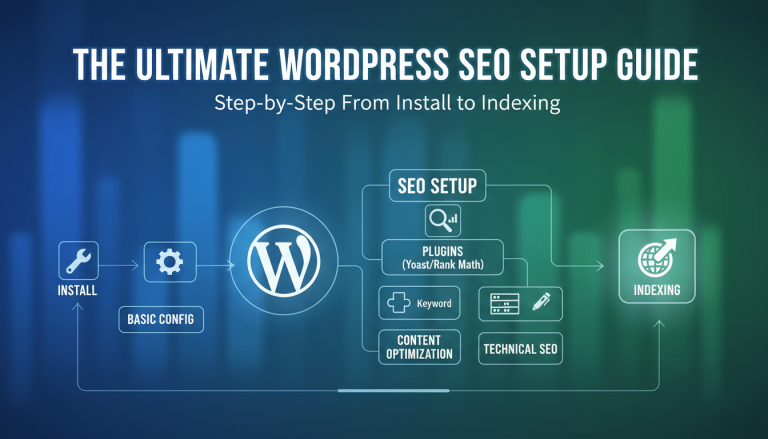 The Ultimate WordPress SEO Setup Guide: Step-by-Step From Install to Indexing
 Yoast SEO
 WordPress SEO
 Cleaning Up Your Backlink Profile The Essential Penalty Defence