
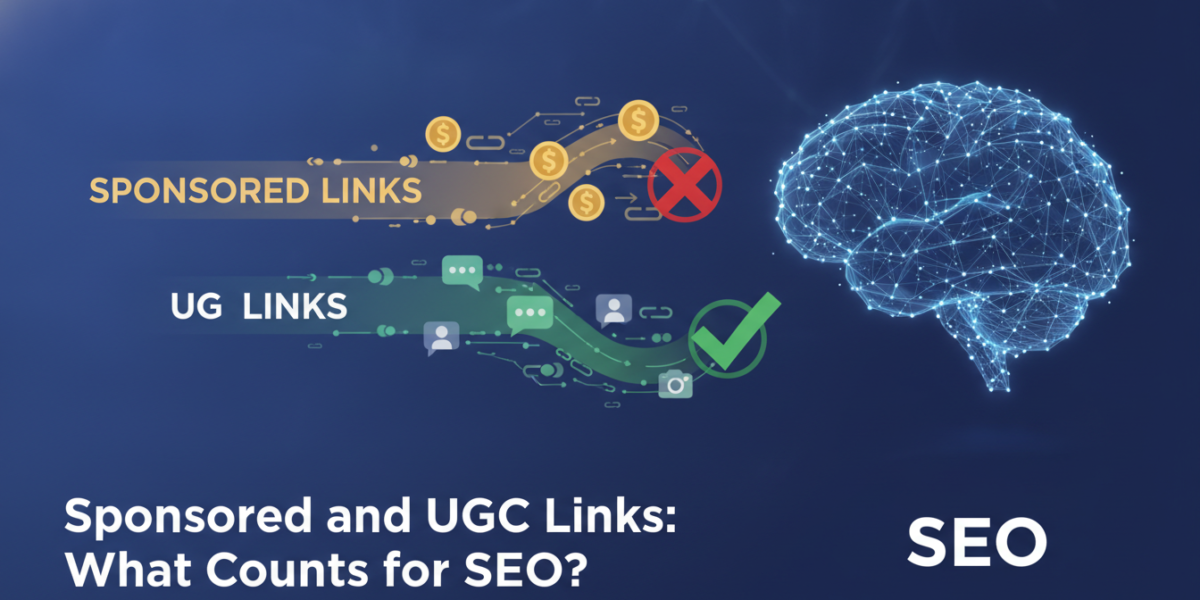
If you’ve ever added a paid partnership post to your website or let users leave comments with clickable names, you’ve probably brushed up against the question of sponsored and UGC links. These two link types sit in a grey zone that confuses a lot of site owners — and getting them wrong can quietly damage your SEO without you even realising it. Understanding how Google treats these attributes isn’t just a technical detail; it’s a practical decision that affects your site’s credibility, ranking signals, and long-term health.
What Are Sponsored and UGC Links?
The Basics Behind Link Attributes
When you link to another website, you’re passing a signal. Google reads that signal as a vote of trust — unless you tell it otherwise. That’s where rel attributes come in. These are small pieces of code added to a hyperlink that give search engines context about the nature of the link.
There are four main rel attributes you’ll encounter:
-
rel="dofollow"(default, no attribute needed) — passes full SEO value
-
rel="nofollow"— tells Google not to follow or pass credit through the link
-
rel="sponsored"— signals that the link is part of a paid placement or advertisement
-
rel="ugc"— marks links created by users, typically in comments or forums
Google officially introduced the sponsored and UGC attributes in September 2019, refining the blunt instrument that nofollow had been since 2005. The change gave webmasters a more nuanced toolkit.
Why This Distinction Matters
Grouping all non-editorial links under nofollow was always a bit crude. A comment from a genuine community member is very different from a paid placement for a casino affiliate. Treating them the same way didn’t reflect the reality of how links are created online.
By separating these categories, Google can apply more sophisticated judgment — and so can you.
Sponsored Links and SEO: What You Need to Know
What Qualifies as a Sponsored Link?
A sponsored link is any link that exists because money changed hands or because there’s a commercial arrangement behind it. This includes:
-
- Paid advertorials or native advertising
-
- Affiliate links where you earn a commission
-
- Links placed as part of a PR or influencer partnership
-
- Sponsored posts from brands paying for editorial space
If someone has paid you — directly or indirectly — for a link to appear on your site, it should carry rel="sponsored". This applies whether you’re a small blogger doing a one-off product review or a large publisher running a formal native ad programme.
Does Using rel=”sponsored” Hurt Your SEO?
Here’s what most people actually want to know: does tagging a link as sponsored stop it from passing authority?
Yes — sponsored links, like nofollow links, are treated as hints rather than hard directives by Google. In practice, they’re unlikely to pass PageRank in the way an untagged editorial link would. But that’s not a penalty — it’s the intended behaviour.
The real SEO risk isn’t using the attribute correctly. It’s failing to use it at all. If Google detects that you’ve accepted payment for links without disclosure — a practice known as link selling — you risk a manual action penalty. The consequences can include significant drops in rankings or even de-indexing of pages.
A Real-World Example
Imagine a travel blog that regularly publishes “destination guides” that are actually paid placements from tourism boards. If those guides contain dofollow links back to hotel booking sites or tour operators, Google’s spam team could view this as a violation of its link spam policies.
Adding rel="sponsored" to those links wouldn’t diminish the value of the content — but it would protect the site from manual review consequences. It’s the difference between transparency and manipulation.
UGC Links: Handling User-Generated Content Responsibly
What Counts as UGC?
UGC (User-Generated Content) links are links that your users — not your editorial team — have created. Common sources include:
-
- Blog comment sections where users enter a website URL
-
- Forum threads and community boards
-
- Q&A platforms where users answer questions with links
-
- Review sections where reviewers link to their own sites
The rel="ugc" attribute signals to Google that you didn’t editorially choose to link to that destination. You’re essentially saying: “A visitor put this here — I can’t vouch for it.”
Why UGC Link Management Still Matters for SEO
Some site owners assume that since UGC links are tagged and therefore discounted, they can just ignore them. That’s a mistake.
Even with the UGC attribute, a comment section stuffed with spammy, low-quality links can send negative signals about your site’s overall quality. Google’s Quality Rater Guidelines consider things like content ecosystem and site trustworthiness — so what surrounds your content matters.
Moderation is still essential. Letting a comment section fill up with casino affiliates, pharmaceutical spam, or link-farm URLs makes your site look like it’s poorly managed. That impression can affect crawl prioritisation, user engagement, and how Google assesses your domain overall.
Practical UGC Link Management Tips
1. Enable moderation queues. Hold comments for approval before they go live. This takes minutes to set up in WordPress and prevents obvious spam from ever appearing.
2. Use a plugin or platform tool. Akismet catches the majority of spam comments automatically. Combine it with CAPTCHA for an extra layer of filtering.
3. Apply rel=”ugc” automatically. Most CMS platforms like WordPress can be configured to add this attribute to all comment links by default. Check your settings or use a plugin like Yoast SEO to confirm it’s applied.
4. Regularly audit comment sections on older posts. Spam often accumulates on posts that stopped getting fresh traffic but still sit in your archive.
Can You Combine Link Attributes?
Mixing nofollow, sponsored, and ugc
Yes — and sometimes it makes sense. Google explicitly allows combining attributes on a single link. For example:
This might be used when you want to be especially cautious, or when a link falls into multiple categories. An affiliate comment from a user could reasonably carry rel="ugc sponsored".
The key is consistency and accuracy. Using the right combination reflects the true nature of the link — and that’s what matters both for Google’s understanding and for your own transparency.
Common Mistakes Site Owners Make
A few errors come up again and again when it comes to sponsored and UGC links:
Forgetting affiliate links. Many bloggers carefully disclose affiliate relationships in the text of their posts — which is required by consumer protection regulations in many jurisdictions, including GDPR-adjacent guidelines and FTC rules in the US — but forget to tag the actual links correctly. Disclosure text and link attributes serve different purposes. Both are needed.
Using nofollow instead of sponsored. This was acceptable before 2019, and Google said at the time it would honour nofollow as a valid substitute. However, using sponsored where relevant is now the cleaner and more accurate approach. It shows you understand the distinction.
Ignoring UGC links on older platforms. If you migrated a forum from an older CMS or inherited a blog with years of unmoderated comments, auditing and retroactively applying attributes is worth the effort.
Frequently Asked Questions
What’s the difference between nofollow and sponsored?
Both prevent a link from passing full PageRank in the traditional sense, but they communicate different things to Google. rel="nofollow" is a general signal saying “don’t associate this link with an endorsement,” while rel="sponsored" specifically indicates a commercial or paid relationship. Google introduced sponsored to make link signals more accurate and nuanced.
Do sponsored links ever help SEO at all?
Not in the traditional PageRank-passing sense — but they’re not worthless either. Sponsored placements can drive referral traffic, build brand awareness, and generate legitimate engagement. They just shouldn’t be the foundation of an SEO strategy. Think of them as a marketing tool, not a link-building shortcut.
Is it worth moderating UGC links on a small blog?
Yes, even if your comment section is modest. A handful of spammy links can degrade the perceived quality of an otherwise solid site. It takes very little time to moderate a small community, and it’s one of those hygiene tasks that pays dividends over the long term.
What happens if I don’t tag paid links correctly?
Google’s spam policies are clear: buying or selling links that pass PageRank without proper disclosure violates their guidelines. Consequences range from reduced rankings to manual actions that can take weeks or months to recover from. It’s a risk not worth taking.
Can I use rel=”ugc” on my own forum or community site?
Yes — and you should. If your platform allows users to post links that your team hasn’t editorially reviewed, marking them with rel="ugc" is both accurate and good practice. It doesn’t mean the links are bad; it just means you’re being transparent about who created them.
Conclusion
Sponsored and UGC links aren’t complicated once you understand the logic behind them. Google wants transparency — it wants to understand why a link exists so it can decide how much weight to give it. Using the right attributes is how you communicate that context clearly.
The practical takeaways are simple: tag your paid and affiliate links with rel="sponsored", apply rel="ugc" to user-generated content, keep your comment sections moderated, and don’t assume that an old nofollow approach is good enough for modern SEO. These small habits protect your site’s credibility and keep you on the right side of Google’s guidelines.
Ready to Talk SEO?
If you’re unsure how your site is handling link attributes — or if you’d like a full SEO audit to identify hidden issues — we’re happy to help. Reach out to our team at moc.ssobebolg@ofni or give us a call at +353 1 868 2345. Whether you have a quick question or need a more in-depth conversation, we’ll point you in the right direction.
Related Posts
 Using Customer Reviews as SEO Content
 Manage Internal Links Without Leaving the Editor
 Press Release SEO: Do They Still Build Links in 2026?
 Local Sponsorships: Links From Irish Clubs and Events
 Unlinked Brand Mentions: Easy Links Youʼre Missing
 How to Use HARO to Land Editorial Backlinks from Irish Media
 Competitor Backlink Analysis Uncovering Your Rivals’ Best Irish Links
 Link Building for Local SEO How to Earn Links in Cork and Galway