

If you’ve ever moved a page on your website, changed a domain name, or deleted old content, you’ve probably encountered the concept of a 301 redirect. It’s one of the most fundamental tools in web management — and when used correctly, it protects your traffic, preserves your search rankings, and keeps visitors from landing on dead ends. Yet it’s also one of the most misunderstood. This guide breaks down exactly what 301 redirects are, when you should use them, and how to implement them without making costly mistakes.
What Is a 301 Redirect?
A 301 redirect is a server-level instruction that permanently forwards one URL to another. When a browser or search engine requests the original URL, the server responds with a "301 Moved Permanently" HTTP status code, then sends the visitor to the new destination automatically.
The number 301 is literally an HTTP status code — part of the standard protocol that governs how servers and browsers communicate. There are other redirect types (302, 307, meta refreshes), but 301 is the one that signals permanence. That distinction matters enormously for SEO.
How It Differs from Other Redirects
A 302 redirect, by contrast, signals a temporary move. Search engines treat these differently: with a 302, Google generally holds onto the original URL’s index entry because it expects the page to come back. With a 301, it understands that the move is permanent and transfers what’s known as "link equity" — the accumulated ranking power built up by backlinks and authority — to the new URL.
Meta refreshes and JavaScript-based redirects exist too, but they’re less reliable, slower, and not recommended for SEO purposes. For any permanent URL change, 301 is the standard approach, and it’s been that way for decades.
Why 301 Redirects Matter for SEO
This is where things get genuinely important. If you change a URL without adding a redirect, every link pointing to the old address becomes broken. Those broken links bleed authority — they lead nowhere, and search engines can’t follow them. Over time, this erodes your rankings.
A properly implemented 301 redirect passes the majority of a page’s link equity to the new URL. Google has historically confirmed that 301 redirects pass "PageRank" (their internal measure of page authority), and while some negligible signal loss may occur, it’s minimal when the redirect chain is clean and direct.
The Real-World Impact
Imagine you’ve spent two years building backlinks to a product page at /old-product-name. That page has accumulated links from 40 different websites, generating consistent organic traffic. Now you rebrand the product. If you simply delete the old URL and create a new one at /new-product-name, all that hard-won authority evaporates overnight.
With a 301 redirect pointing from the old URL to the new one, those 40 backlinks continue to funnel authority to the updated page. Your rankings stay stable, and users who saved or shared the old link still end up in the right place.
When Should You Use a 301 Redirect?
Not every situation calls for a redirect. Here are the scenarios where a 301 is the right call.
Changing a URL slug — If you rename a page (for example, from /services/web-design-services to /services/web-design), a 301 ensures existing links and bookmarks still work.
Migrating to a new domain — Businesses rebranding or consolidating websites need 301 redirects from every old URL to its equivalent on the new domain. Without them, a site migration can devastate search performance for months.
Switching from HTTP to HTTPS — When you install an SSL certificate and move from http:// to https://, 301 redirects ensure every HTTP request automatically hits the secure version. This is now a baseline expectation — Google confirmed HTTPS as a ranking signal back in 2014.
Consolidating duplicate content — If the same content lives on multiple URLs, redirecting the duplicates to a canonical version helps concentrate authority and eliminates confusion for crawlers.
Retiring old pages — When a page is permanently removed but a related page exists, redirecting to the most relevant alternative is far better than returning a 404 error.
When NOT to Use a 301
If a page is genuinely gone with no logical replacement, a 404 (Not Found) or 410 (Gone) is actually appropriate. Pointing a redirect to an irrelevant page just to "avoid a 404" is bad practice — it misleads users and doesn’t provide the clean signal to search engines that a 404 or 410 does.
How to Implement a 301 Redirect
The method depends on your server setup and the platform your website runs on. Here are the most common approaches.
On Apache Servers (Using .htaccess)
Most shared hosting environments run Apache. You can add redirects directly in your .htaccess file with a simple line:
Redirect 301 /old-page/ https://www.yoursite.com/new-page/
For redirecting an entire domain, mod_rewrite rules give you more flexibility and power. It’s worth noting that .htaccess files execute in order, so placement matters if you’re running multiple redirect rules.
On Nginx Servers
Nginx doesn’t use .htaccess. Instead, redirects go in the server block configuration file:
return 301 https://www.newsite.com$request_uri;
This is particularly useful for full-domain redirects during site migrations.
On WordPress
WordPress users have it easier. Plugins like Redirection (which has over 2 million active installs) provide a user-friendly interface for setting up, managing, and monitoring 301 redirects without touching server files. Some SEO plugins like Yoast SEO Premium also include redirect management tools.
On Other CMS Platforms
Shopify, Squarespace, Wix, and most modern CMS platforms have built-in redirect management in their admin areas. The terminology varies (Shopify calls it "URL redirects," for example), but the concept is identical. Consult your platform’s documentation for the specific steps.
Common 301 Redirect Mistakes to Avoid
Even experienced developers can trip up here. These are the errors that cause the most damage.
Redirect chains — This is when one redirect points to another redirect, which points to another, and so on. Each hop adds latency and slightly dilutes authority. If URL A redirects to URL B, and URL B redirects to URL C, update the chain so A redirects directly to C.
Redirect loops — A points to B, B points back to A. The browser gets stuck and serves an error. These usually happen by accident during bulk migrations and can be hard to spot without a proper crawl tool.
Forgetting to update internal links — Redirects compensate for external links you can’t control, but your own internal links should be updated to point directly to the new URL. Relying on redirects for internal navigation adds unnecessary overhead.
Not testing after implementation — Always verify your redirects work using a tool like Screaming Frog, Redirect Checker, or even your browser’s developer tools (Network tab, check for 301 status). Don’t assume — confirm.
301 Redirects During a Site Migration
A full site migration is where redirect management becomes critical infrastructure, not just a housekeeping task. Done poorly, migrations can cause a site to lose 30–50% of its organic traffic within weeks — a figure that SEO professionals have documented repeatedly across case studies.
A proper migration process includes crawling the old site in full, mapping every existing URL to its new equivalent, implementing 301 redirects for all mapped URLs, then crawling again after launch to confirm everything resolves correctly.
It’s also important to update your XML sitemap to reflect only the new URLs and submit it to Google Search Console after the move. Monitor traffic and crawl errors closely for the first 4–6 weeks post-migration — this is the window where issues surface and can still be caught before they compound.
FAQ
What is the difference between a 301 and a 302 redirect?
A 301 means "permanently moved" and transfers link equity to the new URL. A 302 means "temporarily moved" and tells search engines to keep the old URL indexed. Use 301 for any permanent change — using a 302 by mistake is one of the most common SEO errors during migrations.
How long does it take Google to process a 301 redirect?
There’s no fixed timeframe, but Google typically discovers and processes 301 redirects within a few days to a few weeks, depending on your site’s crawl frequency. High-authority pages crawled regularly may update faster. You can use the URL Inspection tool in Google Search Console to request priority indexing.
Will a 301 redirect hurt my search rankings?
Implemented correctly, a 301 redirect should not hurt your rankings. You may see a brief fluctuation as Google recrawls and reindexes, but the link equity transfer means the new URL should stabilise close to where the old one performed. Poorly implemented redirects (chains, loops, irrelevant destinations) can cause lasting damage.
Do 301 redirects slow down my website?
Each redirect adds a small amount of latency — typically 100–300 milliseconds per hop depending on server speed. For users, a single clean redirect is barely noticeable. However, long redirect chains noticeably degrade performance and user experience. Keep redirects direct and minimal.
Is it safe to remove 301 redirects after a while?
Generally, no. Redirects should stay in place indefinitely. External sites that link to the old URL won’t update automatically — if you remove the redirect, those links break again. The exception might be for very old URLs with demonstrably zero incoming links, but even then, keeping the redirect costs almost nothing.
Conclusion
301 redirects are a cornerstone of responsible web management. Whether you’re restructuring URLs, launching a new domain, or simply cleaning up old content, knowing when and how to use them protects the work you’ve already invested in building your site’s authority and visibility.
The principles aren’t complicated: use 301 for permanent changes, keep your redirect paths direct, test everything after implementation, and don’t let chains or loops go unnoticed. Get these fundamentals right, and you’ll avoid the traffic drops and ranking losses that catch so many site owners off guard during what should be a routine update.
Talk to Us About Your Website
Whether you’re planning a migration, restructuring a site, or just want to make sure your redirects are set up correctly, we’re here to help. Reach out to our team — email us at moc.ssobebolg@ofni or call +353 1 868 2345 and we’ll be happy to walk you through your options and answer any questions you have.
Related Posts
 AI Overview Cuts In France: The 23.1% CTR Drop Explained
 Crucial Data Sources For AI Search Explained
 AI Search Data Sources Explained: What Irish Businesses Actually Need to Know
 LCP, INP, CLS Explained for Irish Business Owners
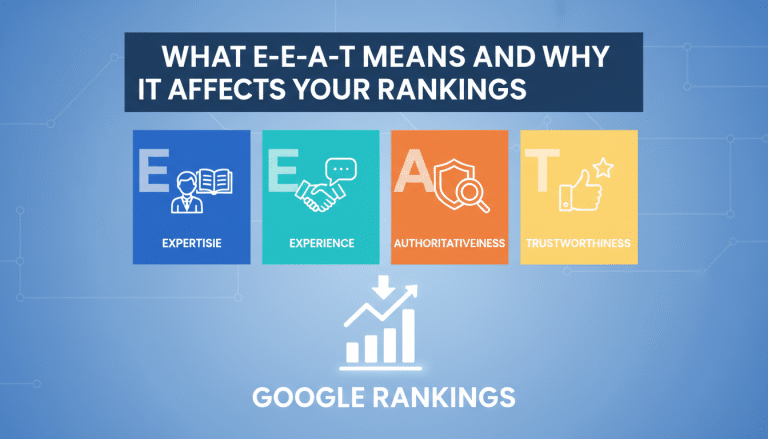 What E-E-A-T Means and Why It Affects Your Rankings
 From Experience to Rank The New E-E-A-T Pillar Explained
 Fix Broken Redirects & Preserve SEO – Globe Boss Agency
 301 Redirect Management | Dublin SEO Technical Audit