
Introduction
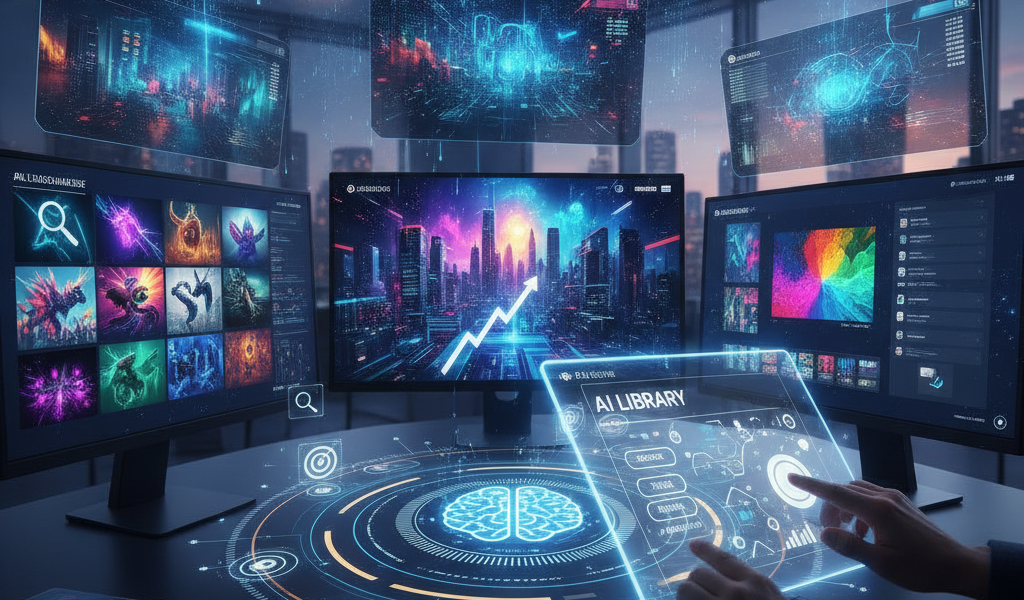
Crafting AI image libraries significantly boosts visibility in digital marketing by ensuring that high-quality, tailored visuals are readily accessible. In an era where attention spans are shrinking, compelling images can capture interest and enhance engagement. Implementing these libraries creates a strategic resource that allows businesses to optimise their digital marketing campaigns, leading to improved user experience and ultimately driving conversions.
The Role of AI in Image Libraries
What is an AI Image Library?
An AI image library is a collection of images curated and managed with the assistance of artificial intelligence technologies. These libraries can suggest images based on keywords, enhance image quality, and categorise visuals to ensure quick and easy access. For digital marketers, this means that selecting the right image for their campaigns becomes a streamlined process.
Benefits for Digital Marketing
- Efficiency: AI can process vast amounts of data faster than humans, allowing for quick image retrieval.
- Personalisation: AI algorithms can curate images according to target audience preferences, ensuring that the visuals resonate more effectively.
- Quality Control: AI tools can enhance image quality, ensuring that all visuals meet a certain standard.
- Cost-Effectiveness: By reducing the time and resources required to manage images, businesses can lower their overall digital marketing costs.
Step-by-Step Guide to Crafting Your AI Image Library
1. Define Your Objectives
Establish clear goals for your image library. Are you looking to improve engagement rates? Optimise for search engines? Understand your target audience and their needs to dictate how you curate your images.
2. Choose the Right AI Tools
Select AI software that aligns with your objectives. Tools such as Adobe Sensei, Canva’s Magic Resize, or Google Vision AI allow marketers to create and manage image libraries effectively. Ensure that the tool you choose can integrate seamlessly with your existing digital marketing systems.
3. Create a Diverse Collection
Gather a mix of stock images, original content, and user-generated visuals to create a comprehensive library. This might include:
- High-resolution photographs
- Infographics
- Illustrations
- Videos and animations
Make sure these images reflect the themes and aesthetics of your brand.
4. Implement AI Tagging and Categorisation
Utilise AI tools to automatically tag and categorise your images. This process enhances searchability within your library. For instance, if using Google Vision AI, tags are generated based on image content, making it easier to find suitable images quickly.
5. Opt for SEO Best Practices
Images should be optimised for search engines to boost visibility. This includes:
- Using descriptive file names
- Implementing alt text
- Ensuring fast loading times
Research indicates that pages optimised with relevant images experience up to 92% more engagement than those without.
6. Monitor and Update Regularly
Conduct regular audits of your image library. Monitor performance metrics such as engagement rates, traffic referrals, and conversions stemming from image use. Based on this data, update your library with fresh images periodically to keep your content relevant.
Timeline Expectations
Setting up your AI image library may take anywhere from a few weeks to a couple of months, depending on the size of your collection and the complexity of your needs. Allocate time for:
- Research and tool selection: 1-2 weeks
- Library creation and categorisation: 2-4 weeks
- SEO optimisation: 1 week
- Initial audit and adjustments: 1-2 weeks
Real-World Applications
Many digital marketing agencies, including Dublin-based Globe Boss, leverage tailored AI image libraries to maximise the effectiveness of their campaigns. By using a well-curated image library, it’s easier to create visually appealing content that resonates with their clientele, ensuring campaigns are both attractive and highly shareable.
Measuring Success
To determine the effectiveness of your AI image library, focus on metrics such as:
- Click-through rates (CTR)
- Conversion rates
- Social media shares
- Increased website traffic
Use analytical tools to assess these metrics periodically and adjust your strategy as needed.
Frequently Asked Questions
What kind of images should I include in my AI image library?
Your library should include a variety of images such as photographs, infographics, and user-generated content. Focus on quality and relevance to your audience.
How can I ensure my images are SEO-friendly?
Optimise images with relevant file names, descriptive alt text, and ensure they load quickly. Regularly update with fresh content to maintain engagement.
How does an AI image library improve my marketing efforts?
An AI image library enhances efficiency, personalisation, and quality control, leading to better-targeted campaigns and improved user engagement.
How often should I update my image library?
Conduct audits periodically, ideally every 3-6 months, to assess the effectiveness of images and replace outdated visuals to keep your content fresh.
Can an AI image library impact my search rankings?
Yes, well-optimised images contribute to improved search rankings, increasing visibility and driving more traffic to your website.
Conclusion
Crafting AI image libraries is an essential strategy in digital marketing, enhancing visibility and engagement. By implementing the right tools and practices, businesses can create a resource that not only saves time but also amplifies their marketing efforts. For a deeper analysis of your digital needs, consider a free SEO audit or explore our insightful The Traffic Playbook. For further assistance, email moc.ssobebolg@ofni or call +353 1 868 2345.
Related Posts
 Leveraging AI Image Libraries: Enhance Digital Marketing Strategies
 Customer Lifecycle Goals: Insights For Digital Marketers
 Find Sources Shaping AI Answers: Guide For Irish Digital Marketers
 Top Landing Page Examples for Irish Digital Marketers
 Behind the scenes of a Southside digital takeover
 Top Digital Marketing Trends to Watch In 2026
 Digital marketing strategies to get ahead this holiday season
 SEO site links boost