
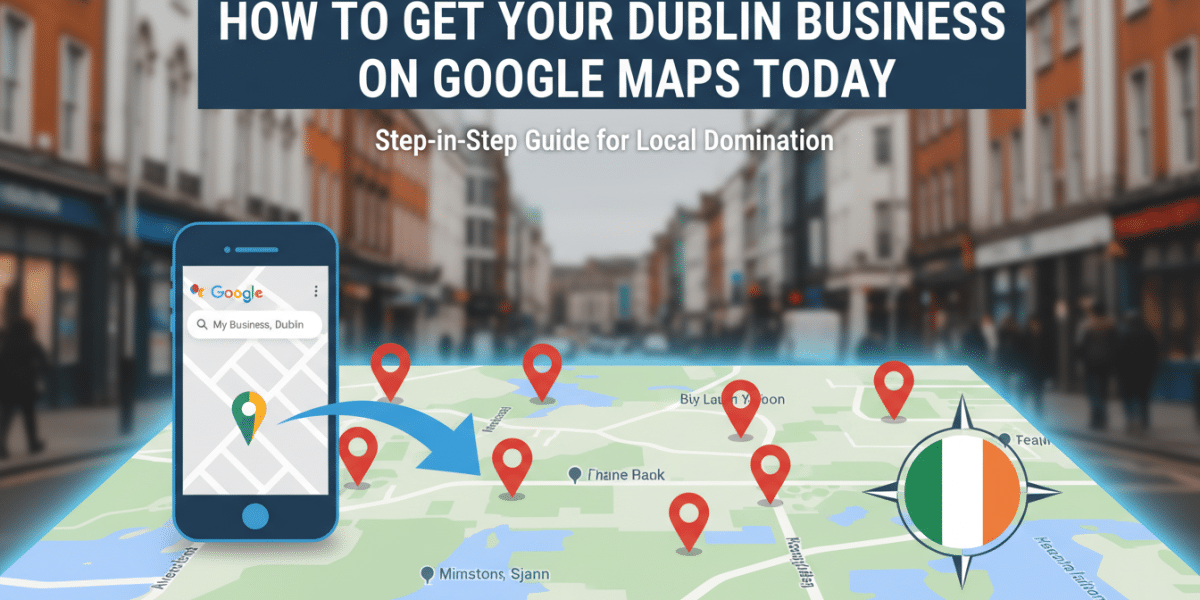
How to Get Your Dublin Business on Google Maps Today: Your Ultimate Guide
Dublin is a city of vibrant streets, rich history, and bustling commerce. From the independent boutiques of the Liberties to the tech hubs of Silicon Docks, and the cosy pubs of Temple Bar, businesses of all shapes and sizes thrive here. But in today’s digital age, simply having a fantastic product or service isn’t enough. People are searching for what they need online, and for local businesses, that almost always starts with Google Maps. If you’re wondering how to get your Dublin business on Google Maps today, you’ve come to the right place.
Getting your business listed on Google Maps isn’t just about visibility; it’s about connecting with customers at their moment of need. It’s about ensuring that when someone searches for “best coffee near O’Connell Street” or “hairdresser in Ranelagh,” your business has a chance to appear. This comprehensive guide will walk you through every step, making it simple, straightforward, and effective for any Dublin entrepreneur.
Why Google Maps is Non-Negotiable for Dublin Businesses
Before we dive into the ‘how,’ let’s spend a moment on the ‘why.’ Understanding the immense value Google Maps offers will motivate you to complete your profile with care and attention.
Be Where Your Customers Are Looking
Think about your own behaviour. When you’re looking for a restaurant, a shop, or a service, what’s often your first port of call? For most people, it’s Google. And if that search has a local intent, like “pharmacy near me” or “bike repair Dublin 8,” Google Maps results are front and centre.
For a Dublin business, this means being visible on Google Maps puts you directly in the path of potential customers, whether they’re tourists exploring the city, new residents settling in, or locals looking for something specific in their neighbourhood. Without a presence, you’re essentially invisible to a huge segment of your target market.
Build Trust and Credibility
A well-maintained Google Business Profile (the engine behind your Maps listing) lends an air of professionalism and trustworthiness to your business. When customers see accurate opening hours, recent photos, and positive reviews, they’re more likely to feel confident choosing you. It signals that you’re an established, legitimate operation. In a competitive city like Dublin, every bit of credibility counts.
Gain a Competitive Edge
While many businesses are on Google Maps, not all are optimised. This presents a golden opportunity for your Dublin business. By taking the time to fully complete and regularly update your profile, you can outrank competitors who might have a lacklustre or outdated listing. This proactive approach can lead to more calls, website visits, and foot traffic, directly impacting your bottom line. It’s local SEO in action, giving you a distinct advantage.
The Core: Setting Up Your Google Business Profile
The journey to getting your Dublin business on Google Maps begins with setting up and verifying your Google Business Profile. This is the central hub for all the information Google displays about your business.
Step 1: Sign In or Create a Google Account
To get started, you’ll need a Google account. If you already have a Gmail address or use other Google services, you likely have one. If not, it’s quick and free to create one. It’s generally a good idea to use an account that you’ll associate primarily with your business.
Step 2: Access Google Business Profile Manager
Once you’re signed in, navigate to business.google.com. You’ll see an option to “Manage now” or “Add your business to Google.” Click on this to begin the setup process.
Step 3: Enter Your Business Name and Category
This is where you start telling Google about your Dublin business.
- Business Name: Enter the exact, official name of your business as it appears on your signage, website, and legal documents. Consistency is vital here.
- Business Category: This is crucial for helping Google understand what your business does and display it for relevant searches. Choose the most accurate primary category (e.g., “Irish Pub,” “Coffee Shop,” “Bookstore,” “IT Services”). You can add more secondary categories later, but focus on the main one first.
- Practical Tip: Be as specific as possible. Instead of just “Restaurant,” consider “Italian Restaurant” or “Vegan Restaurant.” This helps target the right customers.
Step 4: Add Your Location (Crucial for Dublin Businesses)
Google will then ask if you have a physical location that customers can visit.
- If Yes: This applies to most retail shops, restaurants, salons, and offices in Dublin. You’ll be prompted to enter your full street address, including your Eircode. Accuracy is paramount here. Double-check everything to ensure it matches your official address.
- If No (Service-Area Business): This is for businesses that deliver services to customers at their locations but don’t have a storefront (e.g., plumbers, electricians, mobile beauticians). You’ll define your service areas instead of a physical address. You can specify areas like “Dublin City Centre,” “South Dublin,” “County Dublin,” or even specific neighbourhoods like “Dalkey,” “Drumcondra,” or “Tallaght.”
- Practical Tip: Ensure your address is consistent across all your online listings (website, social media, other directories). Discrepancies can confuse Google and impact your ranking.
Step 5: Provide Contact Information
Next, you’ll add your business phone number and, if you have one, your website URL. These are essential for customers to get in touch and learn more about your offerings.
Step 6: Choose Your Verification Method
This is a critical step because it proves to Google that you are the legitimate owner or authorised representative of the Dublin business you’re listing. Google offers several verification methods, but the most common for new listings with a physical address is:
-
Postcard by Mail: Google will send a postcard containing a unique verification code to your stated business address. This usually takes 5-7 business days to arrive in Dublin. Once you receive it, you’ll log back into your Google Business Profile Manager and enter the code. This is the most widely available and reliable method.
-
Other Methods: In some cases, depending on your business type or previous history, you might be offered phone, email, or video verification. Follow the instructions provided if these options appear for you.
-
Explanation: Verification is Google’s way of maintaining data quality and preventing fraudulent listings. Until your business is verified, your listing won’t be fully public or appear on Google Maps. Be patient, as this step is non-negotiable for getting your Dublin business on Google Maps.
Optimising Your Google Business Profile for Maximum Impact
Once your verification is pending or complete, it’s time to supercharge your profile. A bare-bones listing won’t attract much attention. The more complete and engaging your profile, the more visibility and customer interaction you’ll achieve.
Complete Every Section
Think of your Google Business Profile as your secondary homepage. Fill out every possible field with detailed, accurate information.
- Business Hours: Clearly list your regular opening and closing times. Crucially, also add special hours for holidays (like St. Patrick’s Day, Christmas, or Bank Holidays in Ireland). Nothing frustrates a customer more than showing up to a closed business.
- Photos & Videos: This is incredibly important. High-quality images can make your Dublin business stand out.
- Exterior: Show what your business looks like from the street so people can easily find it.
- Interior: Give a glimpse of your atmosphere.
- Products/Services: Showcase your best offerings.
- Team Photos: Introduce your friendly staff.
- Practical Tip: Aim for a mix of professional and authentic photos. Google allows you to upload logos, cover photos, and interior/exterior shots. Regularly add new photos to keep your profile fresh. If possible, ensure photos are geotagged to your Dublin location.
- Services/Products: Detail everything you offer. For a restaurant, this might include your menu highlights. For a service provider, list out each specific service.
- Description: Write a compelling summary of your business (up to 750 characters). Naturally include relevant keywords that people might use to find you (e.g., “authentic Irish pub in city centre Dublin,” “boutique clothing shop Grafton Street,” “web design services Dún Laoghaire”). Highlight your unique selling propositions.
Embrace Reviews and Q&A
Google reviews are a powerful form of social proof. They significantly influence potential customers’ decisions.
- Encourage Reviews: Don’t be afraid to politely ask happy customers to leave a review. You can create a short link directly to your review section from your Google Business Profile dashboard and share it via email, on your website, or even with a QR code in your premises.
- Respond to Reviews: Respond to all reviews, both positive and negative. Thank positive reviewers for their kind words. For negative reviews, respond professionally, acknowledge their feedback, and offer a solution or explanation. This shows you care about customer experience.
- Monitor Q&A: Customers can ask questions directly on your Google Business Profile. Monitor this section and answer promptly and accurately. You can also seed this section with frequently asked questions and their answers.
Utilise Google Posts
Google Posts are like mini-blog posts or social media updates that appear directly in your Google Business Profile. Use them to:
- Announce upcoming events (e.g., live music at your Dublin venue, a workshop).
- Share special offers or promotions.
- Highlight new products or services.
- Update customers on important news (e.g., temporary closures).
- Practical Tip: Aim for consistency. Posting regularly keeps your profile dynamic and gives Google fresh content to display.
Keep Information Up-to-Date
Your Google Business Profile is not a “set it and forget it” task. Always ensure your information is current. If your hours change, your phone number updates, or you add a new service, update your profile immediately. Inaccurate information leads to poor customer experiences and can damage your reputation.
Beyond the Basics: Advanced Tips for Dublin Businesses
To truly maximise your visibility on Google Maps and stand out in Dublin’s competitive market, consider these advanced strategies.
Understand Google’s Local Search Ranking Factors
While Google’s algorithm is complex, three main factors influence how prominently your business appears in local search results:
- Relevance: How well your business category and description match a user’s search query.
- Distance: How far your business is from the searcher’s location (or the location they specified).
- Prominence: How well-known your business is. This is influenced by factors like the number and quality of reviews, external links to your website, and mentions in local articles or directories.
By optimising your profile (relevance) and encouraging reviews (prominence), you directly influence these factors.
Build Local Citations
A “citation” is any online mention of your business’s Name, Address, and Phone number (NAP). Consistent NAP across various online directories (e.g., Yelp, TripAdvisor, Golden Pages, Foursquare, Dublin.ie, local business associations) helps Google verify your business’s existence and legitimacy. The more consistent citations you have, the stronger your local SEO.
Local SEO Integration
Your Google Business Profile works hand-in-hand with your website.
- Website Optimisation: Ensure your website mentions “Dublin” and specific neighbourhoods relevant to your business (e.g., “Our Rathmines cafe,” “Web design services for businesses across County Dublin”).
- Embed Your Map: Embed your Google Maps listing directly onto your website’s contact page. This provides an easy visual for customers and reinforces your location to Google.
Use Insights
Google Business Profile provides valuable “Insights” data. This dashboard shows you:
- How customers found your business (e.g., direct search, discovery search).
- What queries they used.
- Actions they took (e.g., visited your website, requested directions, called you).
Reviewing these insights regularly can help you understand your customers better and refine your marketing strategies.
Conclusion
In a city as dynamic and digitally connected as Dublin, having a strong online presence is no longer a luxury, but a necessity. Knowing how to get your Dublin business on Google Maps today and then optimising that listing is one of the most effective and accessible ways to connect with local customers, build trust, and drive growth.
From the initial setup and verification to continuously updating your profile with fresh photos and responding to reviews, each step contributes to a robust digital storefront. Don’t let your fantastic Dublin business be a hidden gem. Take the time to implement these strategies, and watch as Google Maps transforms into a powerful tool for customer discovery and sustained success. Start today – your future customers are already searching for you!
Related Posts
 How do I rank my business on Google Maps for ʼDublin 2ʼ or ʼDublin 4ʼ?
 How To Rank on Google Maps in Dublin
 Dominate Google Maps The Ultimate Guide to Local SEO in Dublin
 Google Business Profile Optimisation for Dublin Tradespeople
 Globe Boss Google Ads Management Dublin
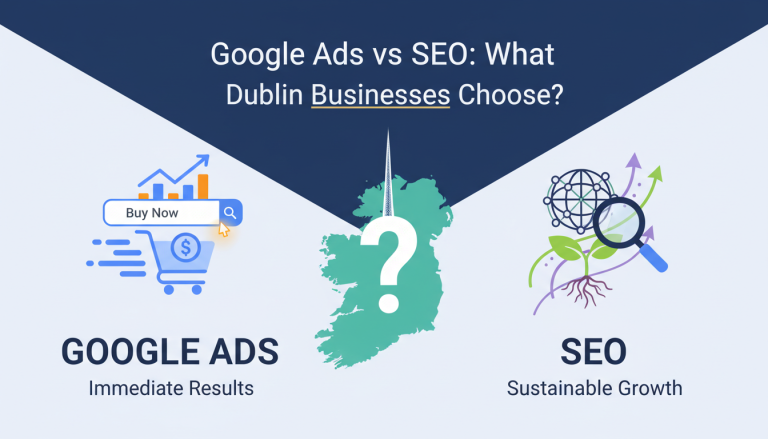 Google Ads vs SEO: What Should Dublin Businesses Choose?
 Globe Boss: PPC and Google Ads Dublin
 SEO FAQs for Small Businesses: How to Rank Higher on Google in Dublin