
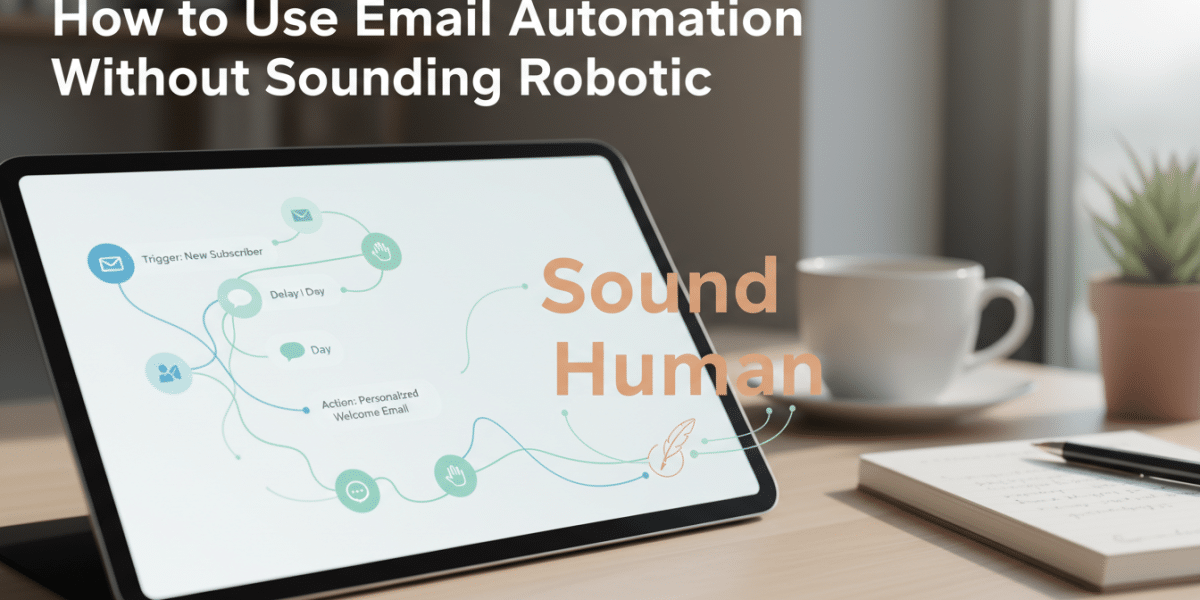
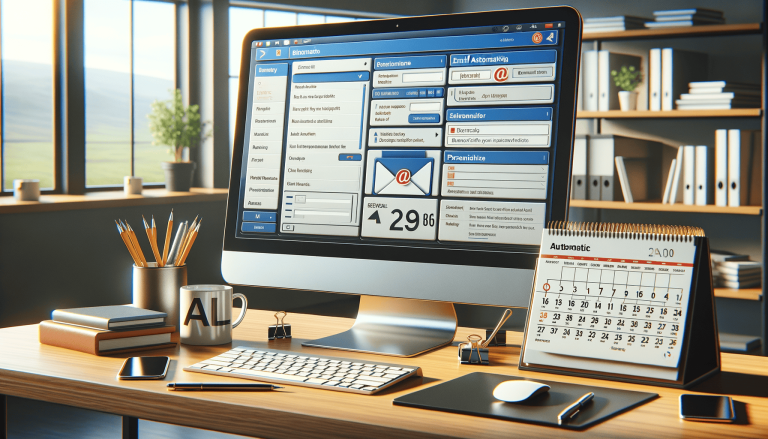
The Art of Human-Centered Automation: How to Use Email Automation Without Sounding Robotic
In today’s fast-paced digital world, email automation has become an indispensable tool for businesses of all sizes. It allows us to nurture leads, onboard customers, announce new products, and stay connected without needing to manually hit “send” on thousands of individual emails. The promise is incredible efficiency and scalability. Yet, there’s a lurking fear that often holds us back: the dreaded robotic email. We’ve all received them – generic, impersonal messages that feel cold and transactional, quickly relegated to the trash or spam folder.
The challenge, then, isn’t whether to use automation, but how to use email automation without sounding robotic. It’s about finding that sweet spot where technology empowers your connection with your audience, rather than eroding it. This article will guide you through the principles and practical strategies to inject genuine human warmth and personality into your automated email sequences, ensuring your messages resonate deeply and build lasting relationships.
The Paradox of Automation: Efficiency vs. Empathy
At its core, automation is about streamlining repetitive tasks. For email, this means delivering timely, relevant messages to the right people at the right moment. The benefits are undeniable:
- Time-saving: Free up countless hours for your team.
- Consistency: Ensure every subscriber receives the same high-quality message.
- Scalability: Reach thousands or even millions of people effortlessly.
- Timeliness: Deliver messages precisely when they’re most impactful (e.g., after a purchase, an abandoned cart, or a sign-up).
However, this efficiency often comes with the risk of losing the personal touch. When every message is templated, every greeting feels pre-programmed, and every offer seems generic, your audience starts to disengage. They sense they’re just another data point in your CRM, not a valued individual. Our goal is to leverage the power of automation without sacrificing the empathy and connection that human interaction provides. It’s entirely possible to sound like yourself, even when a machine is doing the sending.
Foundational Principles: Humanizing Your Automated Emails
Before we dive into specific tactics, let’s establish the bedrock principles that will make all your automated emails feel genuinely human.
1. Know Your Audience (Really Know Them)
This might sound like Marketing 101, but it’s absolutely crucial for humanizing automation. You can’t write a personal email if you don’t know who you’re talking to.
- Segmentation is Key: Divide your email list into smaller, more specific groups based on demographics, behavior, interests, purchase history, or stage in the customer journey. For example, a new subscriber interested in marketing tips should receive a different welcome series than an existing customer who just purchased a specific product.
- Create Detailed Personas: Go beyond basic data. What are their pain points? Their aspirations? What kind of language do they use? Understanding these nuances allows you to tailor your message so precisely that it feels like you’re speaking directly to their individual needs.
- Listen Actively: Pay attention to the feedback you get, the questions people ask, and the content they engage with most. This continuous learning feeds back into more effective segmentation and content strategy.
2. Speak Like a Human, Not a Robot
Imagine you’re having a conversation with a friend or colleague. That’s the tone you should aim for.
- Conversational Language: Ditch the corporate jargon, stiff formalities, and overly complex sentences. Use contractions (e.g., “we’re” instead of “we are”), common idioms, and a friendly, approachable vocabulary.
- Avoid Overly Formal Greetings/Closings: “Dear Valued Customer” instantly screams automation. A simple “Hi [Name],” or “Hello there,” feels much more personal. Similarly, “Sincerely,” can be swapped for “Cheers,” “Best,” or “Talk soon,” depending on your brand’s personality.
- Read Aloud: This is a simple but powerful trick. If your email sounds like it’s being read by a narrator from a training video, revise it until it sounds like a real person talking.
3. Personalize Beyond the First Name
While using someone’s first name is a good start, true personalization goes much deeper.
- Leverage Dynamic Fields: Modern email platforms allow you to pull in a wealth of data points. Use their company name, their city, the last product they viewed, the content they downloaded, or their last interaction date to make the email hyper-relevant.
- Example: Instead of just “Hi John,” try “Hi John, still thinking about those hiking boots you checked out yesterday?” or “Great seeing you at the [Event Name] last week, John!”
- Behavioral Triggers: The most powerful personalization comes from reacting to specific actions (or inactions).
- Abandoned Cart Emails: “Did you forget something? Your [Product Name] is waiting!”
- Content Downloads: “Thanks for downloading our e-book! Here are 3 quick tips to get started…”
- Website Activity: “We noticed you spent some time on our blog post about [Topic]. Here’s another article you might enjoy!”
- Conditional Content: Some platforms allow you to show or hide entire blocks of content based on subscriber data. This means one email template can serve multiple segments with perfectly tailored information.
4. Provide Value, Always
Every single email you send, automated or not, should offer something of value to the reader. Don’t just send emails for the sake of sending them.
- Educate and Inform: Share insights, tips, how-to guides, or industry news.
- Solve Problems: Position your product or service as the solution to a challenge your audience faces.
- Entertain: If it aligns with your brand, a bit of humor or an engaging story can go a long way.
- Offer Exclusives: Discounts, early access, or subscriber-only content make people feel special.
- Tip: Before writing any automated email, ask yourself: “What problem does this solve for the reader, or what benefit does it offer them?” If you can’t answer, rethink the email.
Practical Strategies for Human-Centered Automation
Now that we understand the foundational principles, let’s get into the actionable strategies to implement them. This is where we truly learn how to use email automation without sounding robotic.
1. Craft Engaging Subject Lines (and Preheaders)
Your subject line is the gatekeeper. Make it compelling enough for them to open.
- Intrigue, Don’t Deceive: Spark curiosity without resorting to clickbait.
- Personalize When Possible: Include their name or a relevant detail if it flows naturally.
- Be Clear and Concise: Get to the point, but leave a hint of what’s inside.
- Use Emojis Thoughtfully: A single, relevant emoji can add personality; a string of them can look spammy.
- Leverage Preheaders: That little snippet of text next to the subject line is prime real estate. Use it to expand on your subject line and further entice opening.
- Example:
- Robotic: “Order Confirmation: Your Order #12345”
- Human: “Your order’s in! 🎉 Get ready for some [Product Benefit]!” (Preheader: We’re already packing up your goodies.)
- Example:
2. Design for Readability and Engagement
Even the most human copy can fall flat if it’s presented poorly.
- Clean Layout & White Space: Don’t cram too much text or too many images into one email. Give your content room to breathe.
- Short Paragraphs: Break up your text into digestible chunks. No one wants to read a wall of text on their phone.
- Bullet Points & Numbered Lists: Easily convey information and highlight key takeaways.
- Clear Call-to-Action (CTA): Guide your reader to the next step with a prominent, action-oriented button or link. Stick to one primary CTA per email to avoid decision paralysis.
- Mobile Responsiveness: A huge percentage of emails are opened on mobile devices. Ensure your emails look great and are easy to read on any screen size.
- Strategic Imagery: Use relevant, high-quality images, GIFs, or even short videos to break up text, convey emotion, and illustrate points. But don’t overdo it, as heavy emails can be slow to load.
3. Embrace Storytelling and Relatable Scenarios
Humans connect through stories. Use this ancient art form in your automated emails.
- Share Anecdotes: A brief story about a customer’s success or a challenge you overcame can be incredibly powerful.
- Illustrate a Problem/Solution: Instead of listing features, tell a story about a person who had a problem that your product solved.
- Use Analogies: Relate complex ideas to simple, everyday concepts.
- Example: Instead of “Our software has a robust analytics dashboard,” try “Remember scrambling to find those sales reports? Sarah from our team used to spend hours on that, until she started using our new analytics dashboard…”
4. Inject Your Brand’s Personality
Your brand has a unique voice and tone. Let it shine through consistently in every automated email.
- Consistent Voice: Is your brand witty, serious, empathetic, playful, authoritative? Whatever it is, maintain it.
- Visual Branding: Use your brand’s colors, fonts, and imagery. Even a consistent email header with your logo helps establish familiarity.
- Tone of Voice Guide: Create an internal guide that outlines your brand’s desired tone for different types of communication. This ensures everyone on your team writes with the same “voice.”
- Tip: Think of your brand as a person. How would that person talk? What jokes would they tell (or not tell)?
5. Don’t Be Afraid to Be Imperfectly Human
Sometimes, a touch of genuine imperfection can make you seem more real and relatable.
- Occasional Typos (Within Reason): While proofreading is essential, a minor, unrepeated typo sometimes makes a brand seem less corporate and more authentic. Don’t aim for it, but don’t panic if one slips through.
- Acknowledge Mistakes: If you send out an email with a broken link or incorrect information, send a follow-up acknowledging the error quickly and genuinely. This shows integrity and transparency.
- Example: “Oops! Our apologies – it seems we linked to the wrong page in our last email. Here’s the correct link you’ll need…”
- Allow for Unscripted Elements: If an automated email feels like it needs a quick, personal aside, don’t be afraid to add it – even if it’s just a “P.S. Hope you’re having a great week!”
6. Strategically Use Manual Touches
Automation is powerful, but it’s not always the best solution. Use it to identify when a personal, manual email will be most impactful.
- High-Value Leads: If an automated sequence identifies a lead as particularly hot, trigger a personal email or phone call from a sales rep.
- VIP Customers: After a certain number of purchases or a high-value transaction, a direct email from a customer success manager can significantly boost loyalty.
- Critical Moments: If a customer expresses dissatisfaction or a complex problem, automation can’t replace a human response. Use automation to route these situations to the right person.
- Think of automation as the foundation, and manual touches as the thoughtful flourishes that build deeper relationships.
Measuring Success and Continual Improvement
Even the most human-sounding automation needs to be measured and refined.
- Monitor Key Metrics: Track open rates, click-through rates, conversion rates, and critically, unsubscribe rates. A high unsubscribe rate might indicate your automated emails are still sounding robotic or irrelevant.
- A/B Test Everything: Experiment with different subject lines, CTA copy, body content, images, and even send times. Small tweaks can yield significant improvements in engagement.
- Solicit Feedback: Occasionally, ask your audience directly what kind of content they’d like to receive or how they feel about your emails. A simple survey can provide invaluable insights.
- Iterate and Refine: Email automation is not a “set it and forget it” task. Continuously analyse your data, learn from your results, and make adjustments to ensure your automated emails remain fresh, relevant, and authentically human.
Conclusion: Automation as an Amplifier for Human Connection
The fear of sounding robotic with email automation is valid, but it’s a challenge that can be overcome with thoughtful strategy and consistent effort. By prioritizing deep audience understanding, embracing a natural human voice, personalizing with intelligence, and providing genuine value, you can transform your automated emails from generic blasts into powerful tools for building and nurturing real relationships.
Remember, automation is not about replacing human connection; it’s about amplifying it. It frees up your time to focus on the truly complex, personal interactions while ensuring your audience receives timely, relevant, and engaging communication at scale. By following these principles and strategies, you’ll master how to use email automation without sounding robotic, turning your emails into compelling conversations that drive engagement, loyalty, and business growth.
Dublin's ROI-Driven Digital Marketing Agency Home
Related Posts
 Where does email marketing fit into your overall marketing strategy
 How to use email retargeting for your small business
 16 ai powered writing tools and how to make best use of them
 Email automation and personalization
 How to Run Google Ads Without Wasting Your Budget
 Convert More Leads with High-Converting Email Campaigns
 The Power of Targeted Email Marketing for Dublin Brands
 How We Use Cookies to Enhance Website Performance