
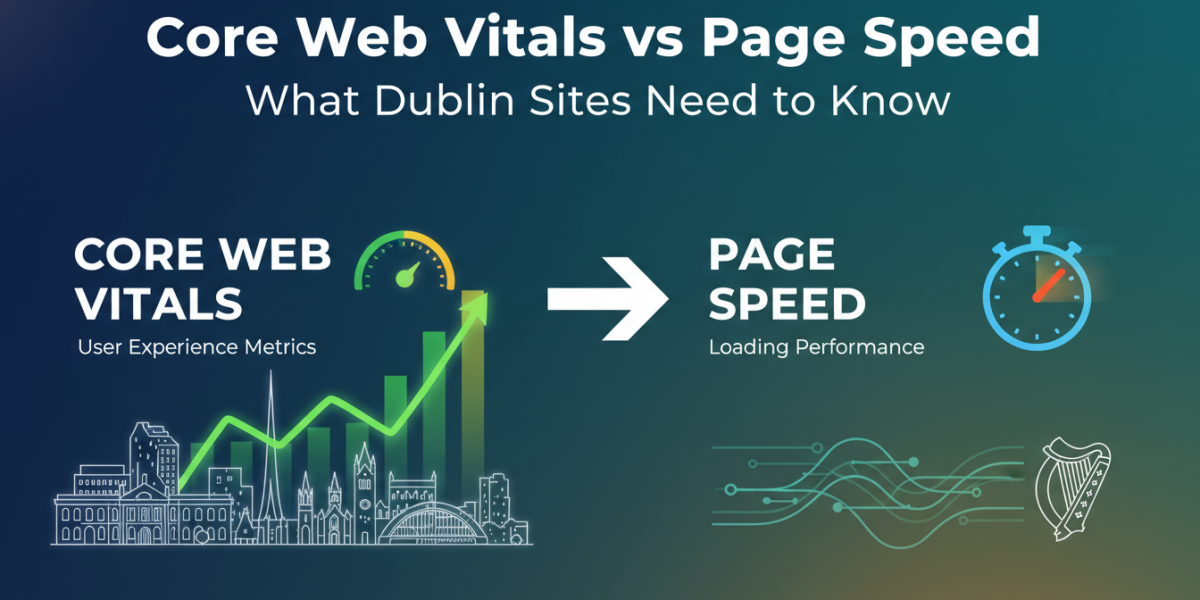
If you’ve been managing a website in Dublin — whether it’s a local business, an ecommerce store, or a professional services firm — you’ve probably heard both terms thrown around: Core Web Vitals and page speed. They’re often used interchangeably, but they’re not the same thing. Understanding the difference isn’t just a technical exercise. It has real consequences for how your site ranks in Google, how visitors experience it, and ultimately, whether they stay or leave.
This guide breaks down both concepts clearly, explains why Dublin-based businesses should care, and gives you practical steps to improve what actually matters.
What Is Page Speed, and Why Does It Still Matter?
Page speed is exactly what it sounds like — how fast your webpage loads. Traditionally, this was measured by a single metric: how long it takes for a page to become fully loaded and usable in a browser.
For years, tools like Google PageSpeed Insights and GTmetrix gave websites a score out of 100, and webmasters chased that number obsessively. A faster score generally meant better user experience, lower bounce rates, and slightly better search rankings.
The Limits of a Single Speed Score
The problem with page speed as a standalone metric is that it’s blunt. A page might technically “load” in two seconds while the most important content — the hero image, the call-to-action button, the product description — doesn’t appear until five seconds in. To a real user, that page feels slow, even if the numbers say otherwise.
That’s exactly the gap Core Web Vitals were designed to fill.
What Are Core Web Vitals?
Core Web Vitals are a set of specific, user-centred performance metrics introduced by Google in 2020 and formally integrated into its ranking algorithm in 2021 via the Page Experience update. Rather than measuring raw load time, they measure how a page feels to use.
There are currently three Core Web Vitals:
-
- Largest Contentful Paint (LCP) — measures how long it takes for the largest visible element (usually an image or heading) to render on screen. Google’s threshold for “good” is under 2.5 seconds.
-
- Interaction to Next Paint (INP) — replaced the older First Input Delay metric in March 2024. It measures how quickly a page responds to user interactions like clicks or taps. A “good” score is under 200 milliseconds.
-
- Cumulative Layout Shift (CLS) — measures visual stability. If elements jump around while the page loads (think: a button that moves just as you’re about to click it), CLS captures that. A “good” score is under 0.1.
Why Google Made This Shift
Google’s reasoning was straightforward: traditional speed scores didn’t reflect what users actually experience. By focusing on loading, interactivity, and visual stability, Core Web Vitals give a far more honest picture of page quality. A site can score 95 on PageSpeed Insights and still have a terrible LCP if its hero image is unoptimised.
Core Web Vitals vs Page Speed: The Key Differences for Dublin Businesses
Here’s the practical distinction worth remembering: page speed is a technical measurement, while Core Web Vitals are an experience measurement.
| Metric | What It Measures | Why It Matters |
|---|---|---|
| Page Speed Score | Overall load performance | Broad technical health indicator |
| LCP | When main content appears | First impression for the user |
| INP | Responsiveness to interaction | Feels “snappy” vs sluggish |
| CLS | Visual layout stability | Prevents frustrating layout jumps |
For a Dublin restaurant, for example, a slow LCP on a mobile device could mean a potential customer bounces before they even see the menu. For an ecommerce site selling Irish crafts, poor INP could mean a frustrating checkout experience that kills conversions.
What Dublin’s Digital Landscape Looks Like
Ireland has one of Europe’s highest smartphone usage rates, with mobile devices accounting for over 60% of web traffic nationally. Dublin users — commuting, browsing on the Luas, or checking a local service quickly — are particularly reliant on mobile performance. If your site isn’t optimised for Core Web Vitals on mobile, you’re likely losing a significant chunk of your potential audience before they even engage.
Common Issues Dublin Sites Face (and How to Fix Them)
Most performance problems aren’t exotic. They tend to cluster around a handful of recurring causes. Here’s what to look for.
Slow LCP: Usually an Image Problem
The most common culprit is an uncompressed hero image. If your homepage banner is a 4MB PNG, no amount of clever hosting will fix a slow LCP. The solution is usually simple: compress images using tools like Squoosh or TinyPNG, convert to modern formats like WebP, and use proper image sizing so browsers aren’t downloading unnecessarily large files.
Another fix is to preload your LCP element in your HTML. This tells the browser to prioritise that resource before it would normally encounter it in the page’s source code.
Poor INP: JavaScript Is Often the Culprit
Sites with heavy JavaScript frameworks — particularly older implementations of React or jQuery-heavy builds — tend to struggle with INP. The browser gets bogged down running scripts and can’t respond quickly to user inputs.
Auditing and deferring non-essential JavaScript is one of the most effective improvements here. Tools like Chrome DevTools’ Performance tab can show you exactly which scripts are blocking interaction.
CLS Issues: Fonts and Ads
Two of the most common sources of layout shift are web fonts loading late and ad slots that don’t have fixed dimensions. If your site uses Google Fonts loaded via a standard <link> tag, you may experience a flash of unstyled or differently sized text as the font loads. Using font-display: swap in your CSS and preloading font files can dramatically reduce this.
For ad slots, always define explicit width and height attributes — even if the ad hasn’t loaded yet — so the browser reserves that space in advance.
How to Measure Your Core Web Vitals
You don’t need to guess. Google provides several free tools:
-
- Google Search Console — The Core Web Vitals report shows real-user data (called field data) for your site, segmented by mobile and desktop.
-
- PageSpeed Insights — Combines lab data (simulated) with real-world Chrome User Experience Report (CrUX) data.
-
- Chrome DevTools — For detailed, page-by-page auditing during development.
-
- Lighthouse — Built into Chrome, gives a full performance audit including individual metric scores.
Start with Google Search Console if you want to understand how real users are experiencing your site. The data is collected from actual Chrome browser users, which makes it far more representative than any lab test.
Does Improving Core Web Vitals Actually Boost Rankings?
This is the question everyone in Dublin’s SEO community debates. The honest answer: Core Web Vitals are a ranking factor, but not the only one. Content relevance, backlinks, and E-E-A-T (Experience, Expertise, Authoritativeness, Trustworthiness) still carry more weight in most cases.
That said, Google has confirmed that when two pages are broadly equal in other ranking signals, page experience — including Core Web Vitals — can be the tiebreaker.
More importantly, the indirect benefits are significant. Faster, more stable pages reduce bounce rates, increase time on site, and improve conversion rates. For a Dublin solicitor’s firm or a local estate agent, even a modest improvement in conversion rate has a tangible commercial impact.
FAQ
What’s the difference between Core Web Vitals and PageSpeed score?
PageSpeed score is a broad performance indicator that reflects a range of technical factors. Core Web Vitals are three specific metrics focused on user experience — loading, interactivity, and visual stability. You can have a high PageSpeed score and still fail Core Web Vitals, or vice versa.
How do I know if my Dublin website is passing Core Web Vitals?
The quickest way is to check Google Search Console under the “Experience” section, then “Core Web Vitals.” This gives you real-world data from actual users. You can also run a test via PageSpeed Insights (pagespeed.web.dev) for an immediate snapshot.
Is it worth investing in Core Web Vitals improvements if my site is already ranking well?
Yes, for two reasons. First, competitive niches in Dublin — particularly legal, property, hospitality, and ecommerce — are increasingly competitive, and Core Web Vitals can be a tiebreaker. Second, improved performance directly benefits user experience and conversion rates regardless of rankings.
How long does it take to see results after fixing Core Web Vitals issues?
Technical changes are usually reflected in Google Search Console data within 28 days, as Google aggregates field data over a rolling 28-day window. Ranking changes, if they occur, may take slightly longer to become visible in search results.
Can Core Web Vitals be improved without a full website redesign?
In most cases, yes. Common fixes — image compression, lazy loading, font preloading, JavaScript deferral — can be applied without rebuilding the site from scratch. A technical audit will tell you which specific issues are dragging down your scores and whether they require major structural changes or simpler optimisations.
Conclusion
Core Web Vitals and page speed aren’t in opposition — they work together to tell the full story of how your website performs for real people. Page speed gives you the broad picture; Core Web Vitals give you the detail that actually reflects user experience. For Dublin businesses operating in a mobile-first, competitive digital market, getting both right isn’t optional — it’s a foundation.
The good news is that most improvements are achievable without a complete overhaul. Start by measuring where you actually stand using Google’s own tools, identify the specific metrics causing problems, and work through fixes methodically. Small, targeted changes to images, fonts, and JavaScript can move the needle significantly — and the payoff shows up not just in rankings, but in real user behaviour.
Ready to find out how your Dublin website is really performing? Whether you’re looking for a full Core Web Vitals audit, a page speed analysis, or practical guidance on what to fix first, our team is here to help. Get in touch — email us at moc.ssobebolg@ofni or call +353 1 868 2345 and we’ll be happy to talk through your site’s specific needs.
Dublin's ROI-Driven Digital Marketing Agency Home
Related Posts
 How to Pass Core Web Vitals on a Dublin WordPress Site
 Core Web Vitals vs Mobile Speed: Which Matters More for SEO?
 Core Web Vitals Your Site Speed Is Costing You Money
 The Core Web Vitals Checklist for Faster Irish E-commerce
 Page Experience Update: Core Web Vitals & Ranking Factors
 Google’s Core Web Vitals: Speed
 Core Web Vitals Optimization
 LCP, INP, CLS Explained for Irish Business Owners